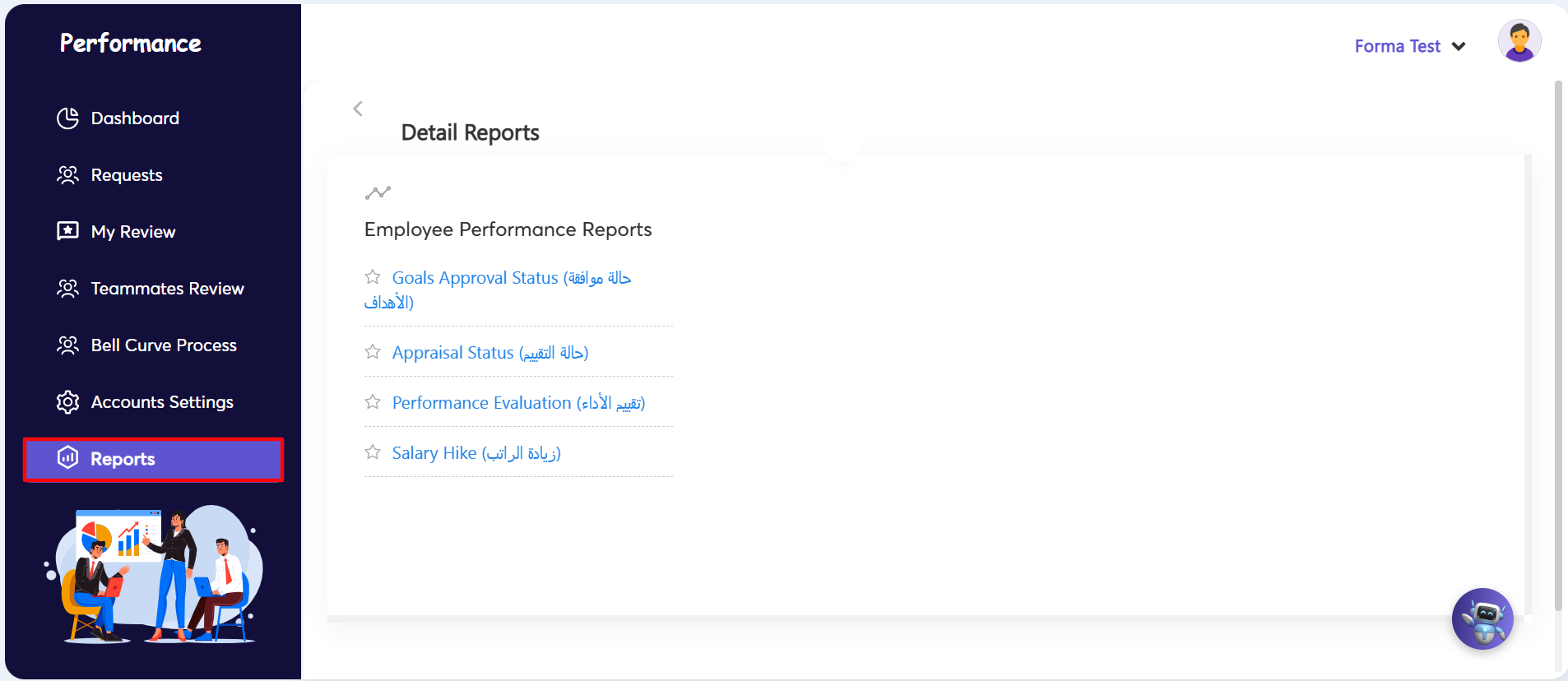
Generating performance reports allows administrators and managers to monitor appraisal progress, track goal approval statuses, and evaluate compensation adjustments across the organization.
Accessing and Generating Reports:
- Step 1: Open Reports Section — Navigate to the left side menu under the Performance module and click on Reports (highlighted with a red box).
- Step 2: Select Desired Report — Under the Detail Reports / Employee Performance Reports section, click on your required report link:
- Goals Approval Status (حالة موافقة الأهداف): Tracks the sign-off and approval progress of employee performance goals.
- Appraisal Status (حالة التقييم): Monitors the current status of ongoing performance appraisals.
- Performance Evaluation (تقييم الأداء): Displays overall performance scores and evaluation metrics.
- Salary Hike (زيادة الراتب): Details compensation adjustments and increment proposals tied to performance reviews.
- Step 3: Apply Filters & Fetch Data — Once the selected report page opens, set your desired filter criteria (such as Department, Employee, or Review Period) and click Fetch to retrieve and view the report data.