

Standardizing corporate OKRs balances performance scoring across your organization. PayPeople offers two ways to create goals: employees can submit self-service goal requests through their portal, while managers and HR administrators can push top-down objectives using bulk uploads or AI assistance.
1. Navigating to the Central Goals Configuration Hub
To access the main goals setup page:
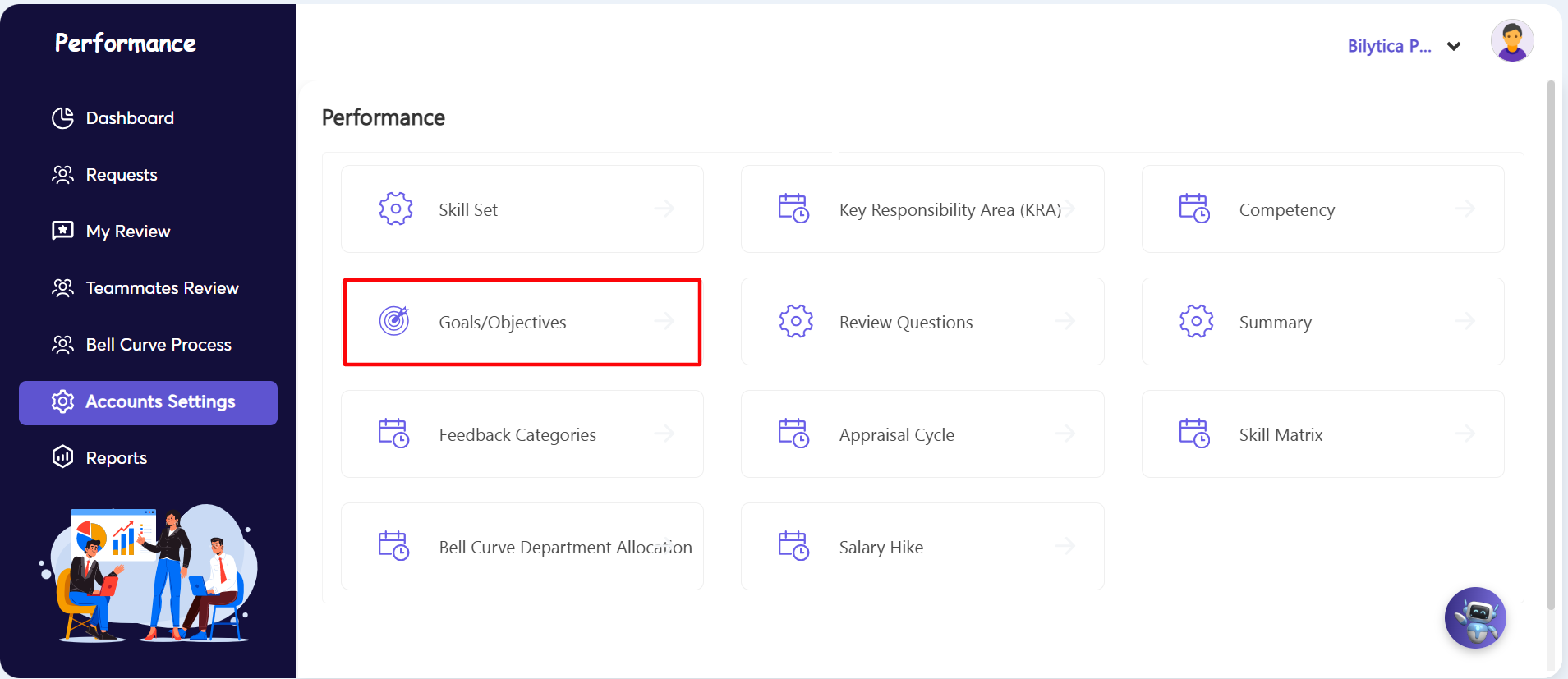
- Step 1: Open Settings Module — Go to the far-left vertical menu bar and click on the Accounts Settings sub-tab navigation link.
- Step 2: Launch Goals Matrix Interface — Find the central options layout card and click on the Goals/Objectives management tile (marked with a red box).
2. Bulk Uploading Goals & Using AI
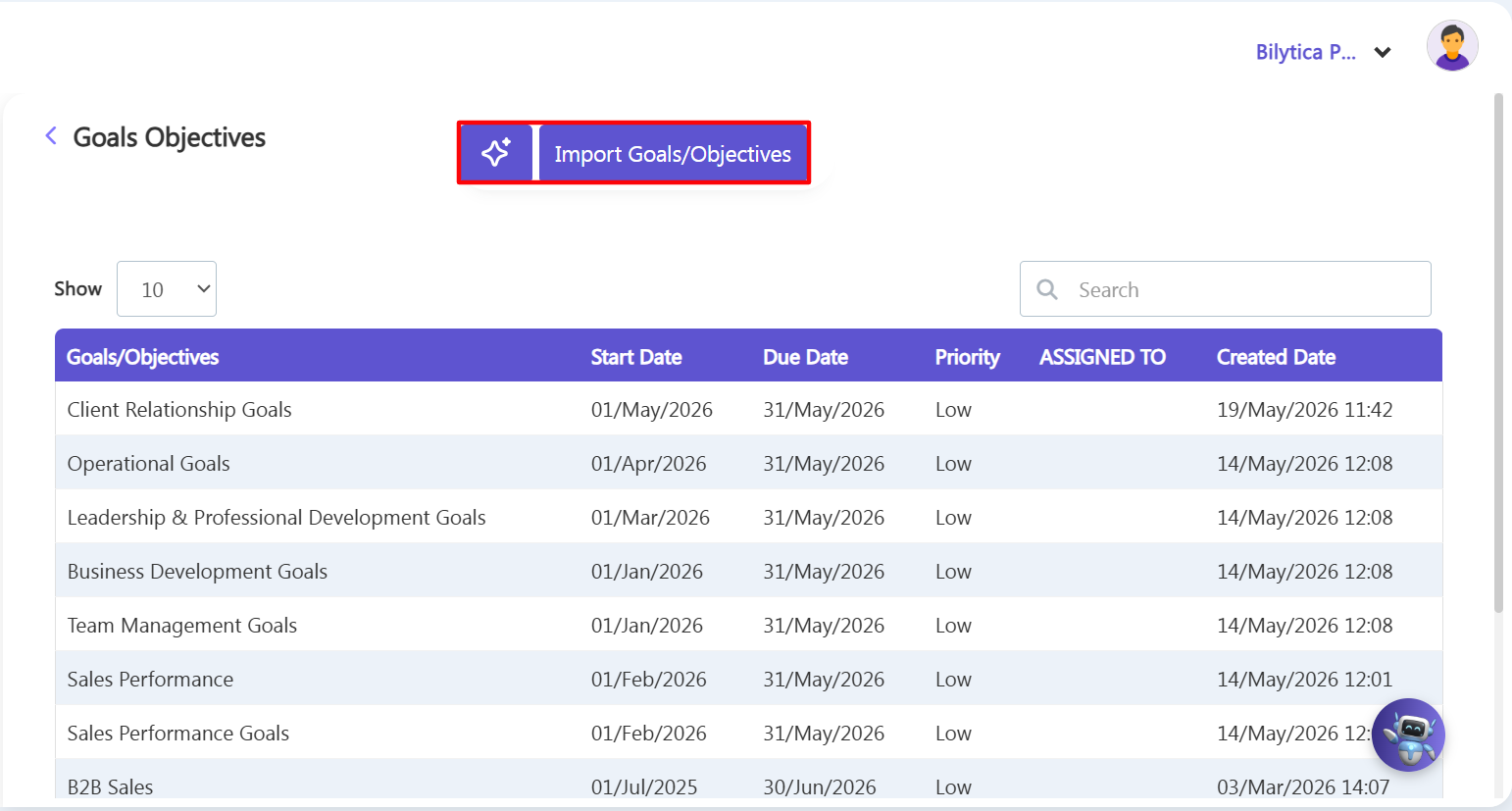
- Step 3: Process Bulk Imports — To upload a large list of goals at once, click the Import Goals/Objectives button at the top. Download the Excel template, fill in your goal data, and upload the completed file to distribute the goals to multiple teams.
- Step 4: Use AI for Target Generation — To skip manual entry, click the purple AI Assistant Spark icon next to the upload button. Specify the department or job role, and the AI will automatically suggest, format, and add balanced milestones directly to your review structure.
- Step 5: Save and Sync Assignments — Save your choices to the server. The newly assigned corporate goals will immediately update active appraisal templates across the database, matching the performance metrics tracking paths inside the system.
OKR Cross-Module Synchronization Pro-Tip: |