

Structuring your company into explicit operational departments is essential for mapping reporting hierarchies, routing approval requests, and grouping team visibility privileges. PayPeople provides a dedicated organizational control panel to build out your core department frameworks and assign functional heads.
1. Navigating to the Departments Portal
To access your company's department structure registers:
Step 1: Open the primary system navigation dashboard layout and click on the Setup module icon (gear ) in the upper right corner.
Step 2: Ensure the Organization horizontal menu category is selected, then locate and click on the Departments grid card module component (highlighted in a red box).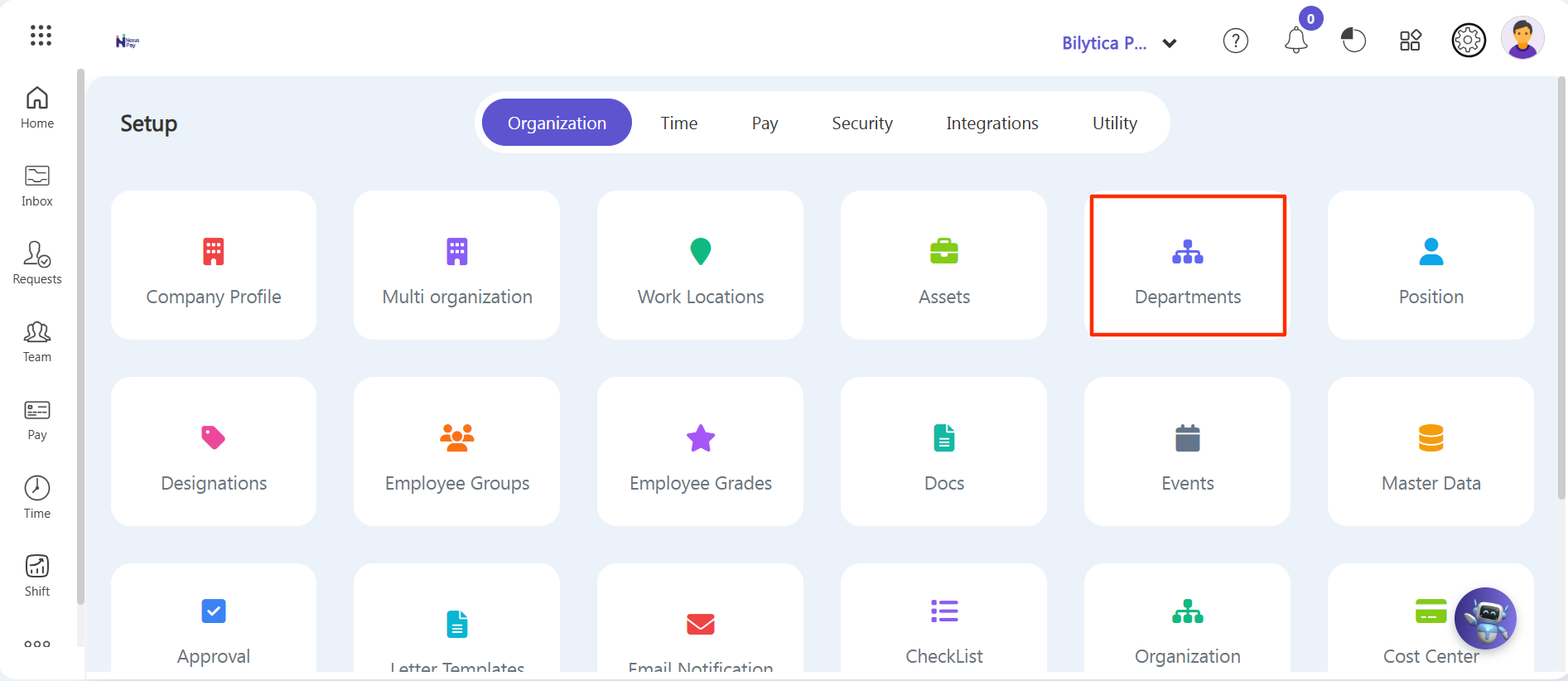
Step 3: The central Departments directory index listing screen will load, displaying a complete row register of existing departments, assigned Heads of Department, and active employee counts.
Step 4: To provision a new organizational branch, click on the purple Create a New action button block (highlighted in a red box) on the right margin ribbon header area.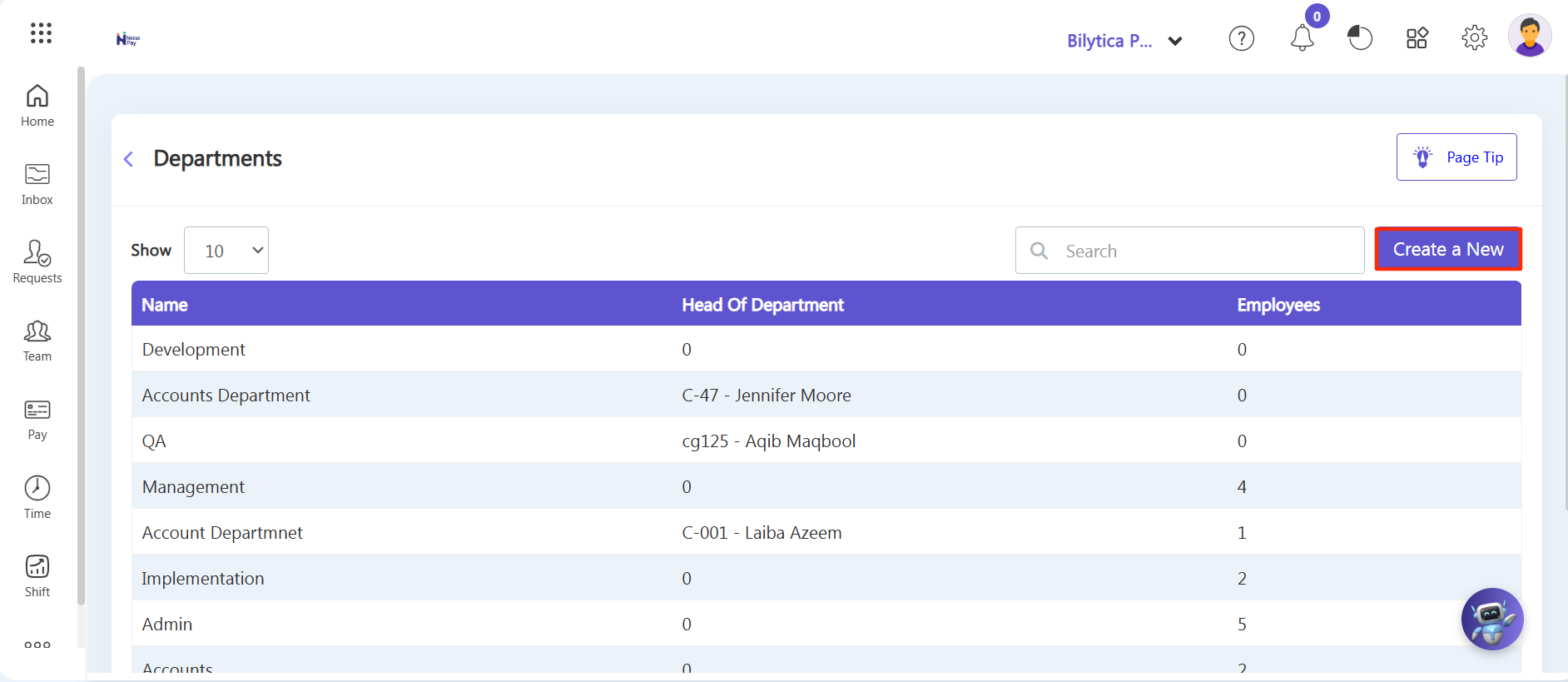
2. Setting Up Department Profiles & Hierarchies
An Add Department form card popup overlay window container will open on your active view workspace layout. Complete the parameters sequentially:
Step 5: Name — Type the descriptive title of your new division inside the labeled Name form field input box (e.g., Accounts Department).
Step 6: Head Of Department — Click inside the Search Employee field dropdown menu selection box to find and select the specific employee who will serve as the active department head (if applicable).
Step 7: Creating Sub Departments — If this division operates nested segments or secondary teams underneath it, click the green + Add Sub Department button. A dynamic spreadsheet table layout row will update, allowing you to add the specialized Sub Department Name records directly into your hierarchy grid mappings.
Step 8: Review all your structural parameters and click the purple Save action button on the lower right of the card overlay to permanently update your corporate directory database logs.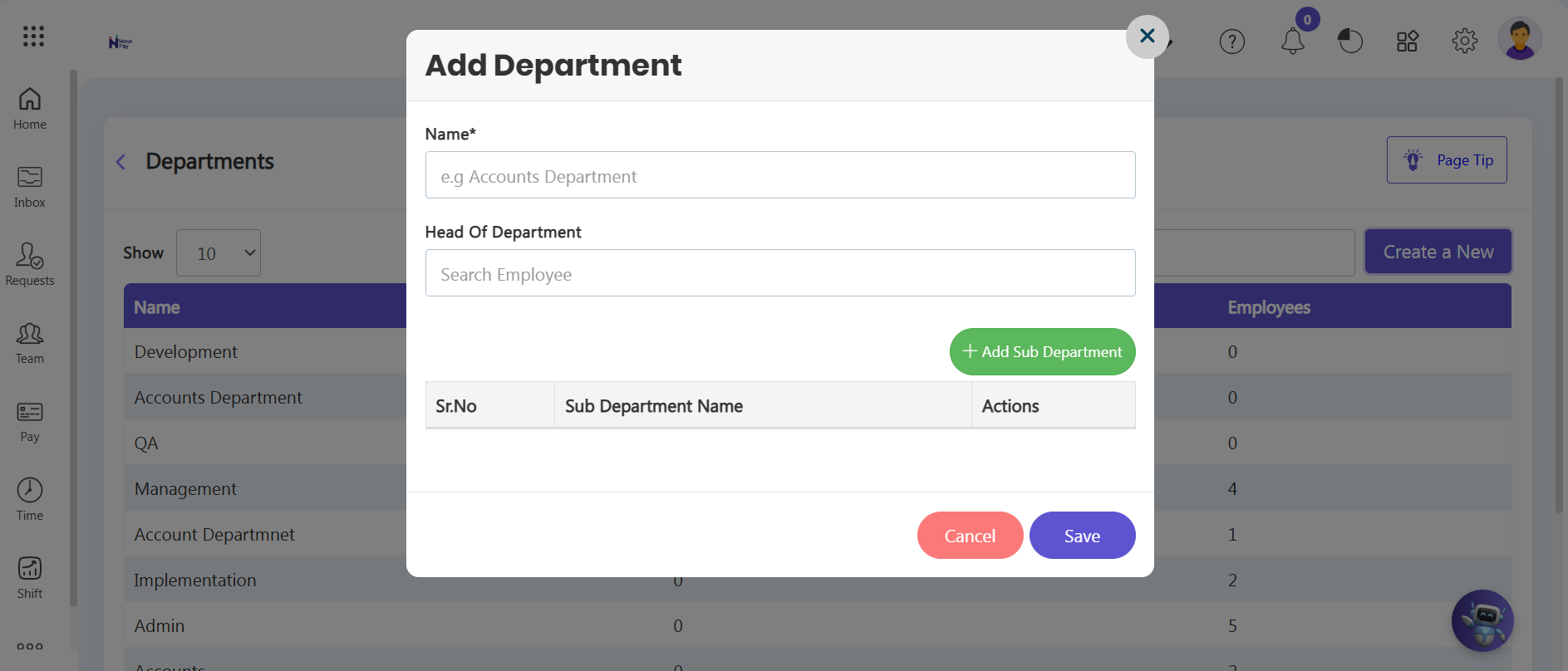
Hierarchy Architecture Tip: |