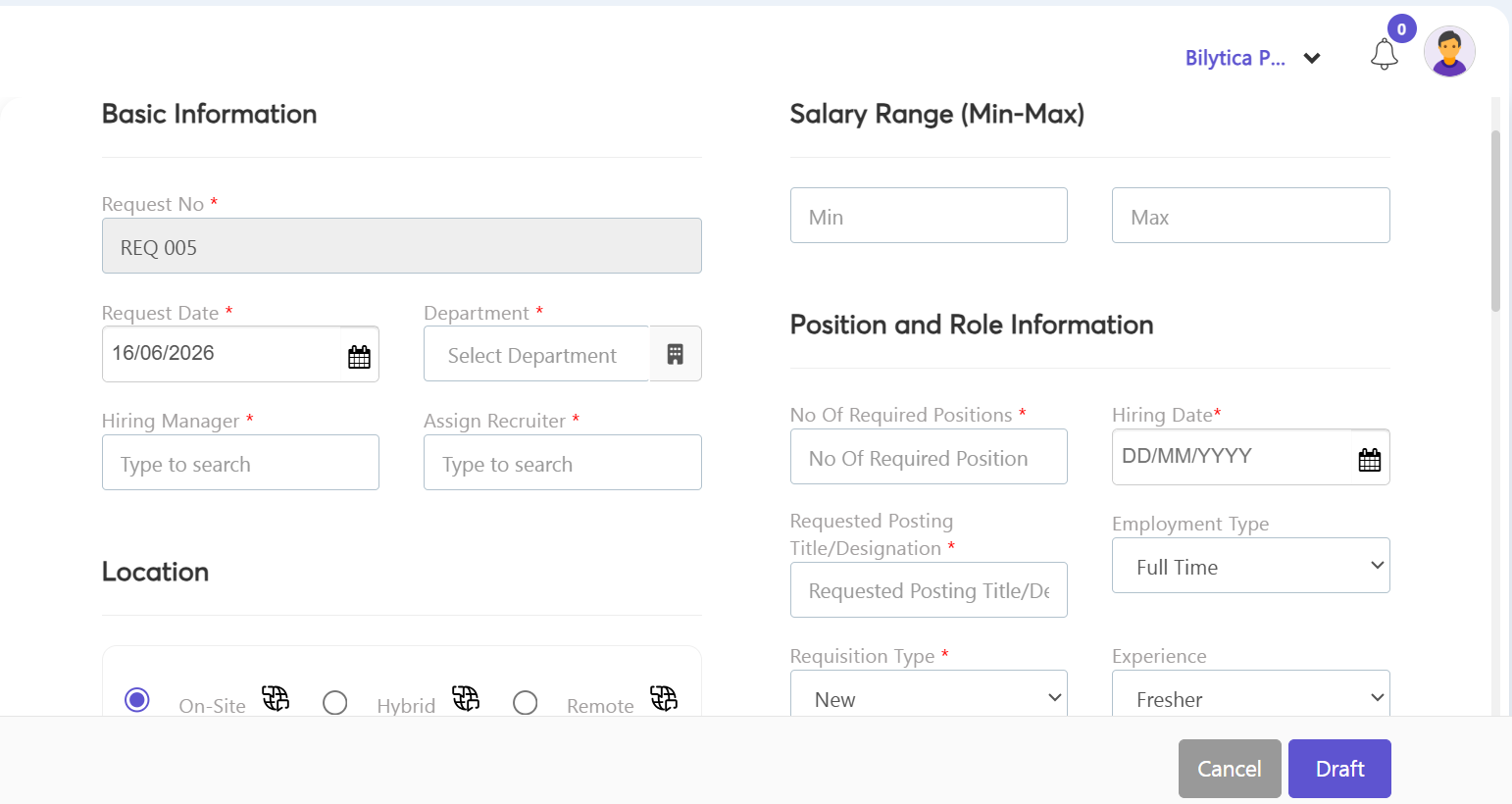
In structured organizations, Department Heads (HODs) or managers can submit job requisition requests to kick off the hiring approval process:
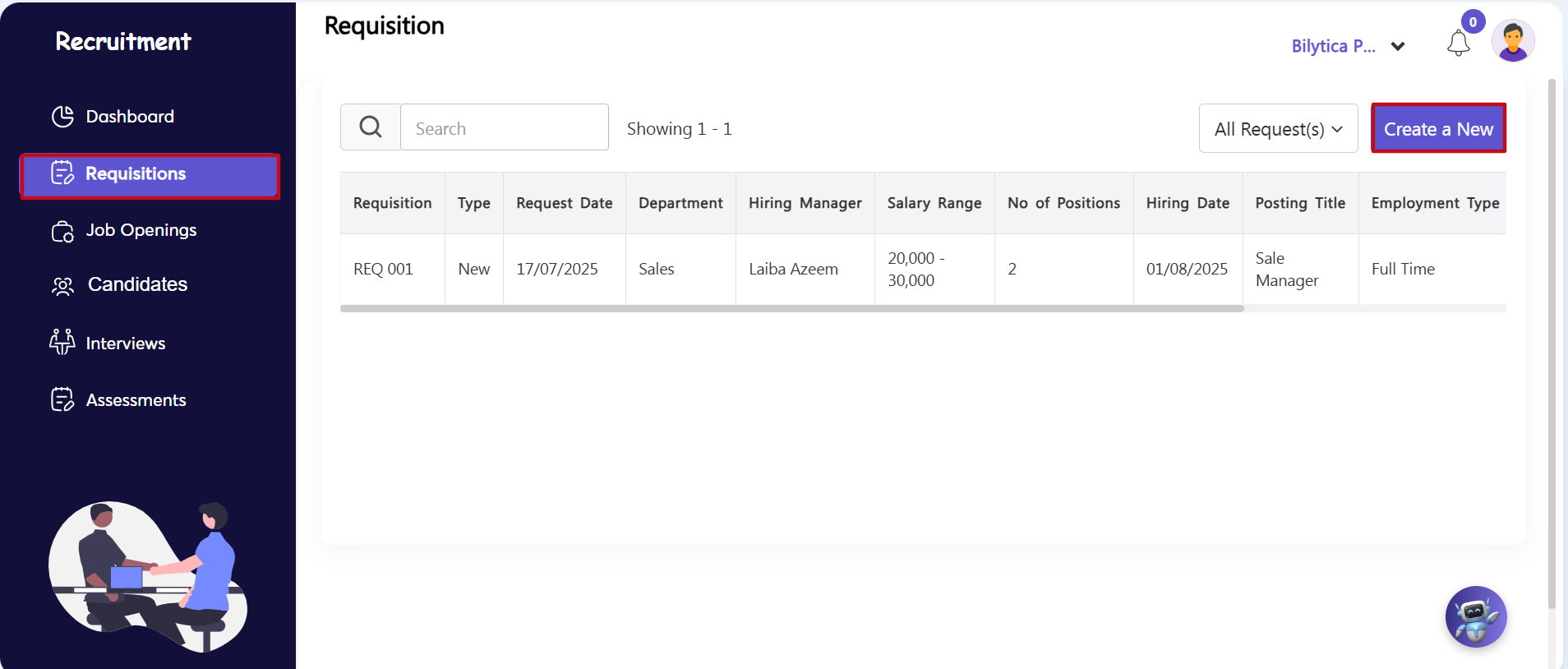
- Step 3: Open the Requisitions Grid — Go to the secondary vertical navigation panel on the left side of the recruitment screen and select the Requisitions menu option.
- Step 4: Open the Setup Form — On the main tracking summary page, go to the right-hand toolbar and click the blue Create a New button (marked with a red box).
- Step 5: Fill Out Requisition Details — A specialized requisition form window will open on your screen. Enter the required information step-by-step:
- Basic Metrics & Limits: Input details like the Request Date, Department, Hiring Manager, Assigned Recruiter, Number of Positions needed, and the specific Salary Range boundaries (Min-Max).
- Job Profile Attributes: Define the clear Job Description, baseline Requirements, and specific company Benefits associated with the open role.
- Save Draft Request: Click the purple Draft button at the bottom of the form. This saves the request and automatically routes it through the company’s multi-tier approval loop. Once approved, the vacancy will automatically move into the Job Openings management screen.