

Once interview reviews are complete, you can update a candidate's hiring stage in real-time:
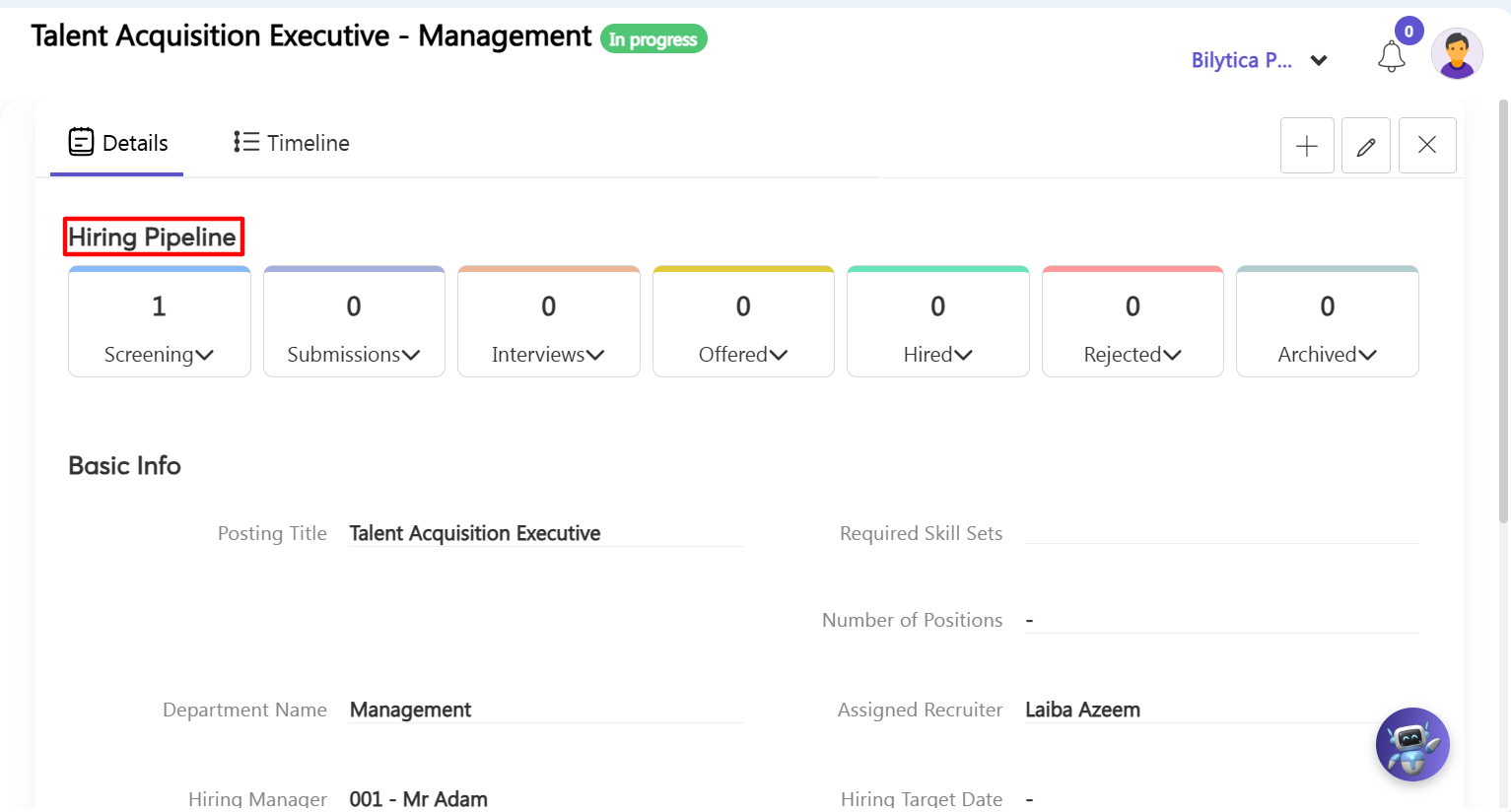
- Step 13: Update Pipeline Stages — Go to the Job Openings dashboard, find the candidate's name row, click the three-dot ellipsis icon, and select View. Under the Hiring Pipeline visual progress bar, simply click on the target stage block (Screening, Submissions, Interviews, Offered, Hired, Rejected, or Archived) to instantly update their status in the system.
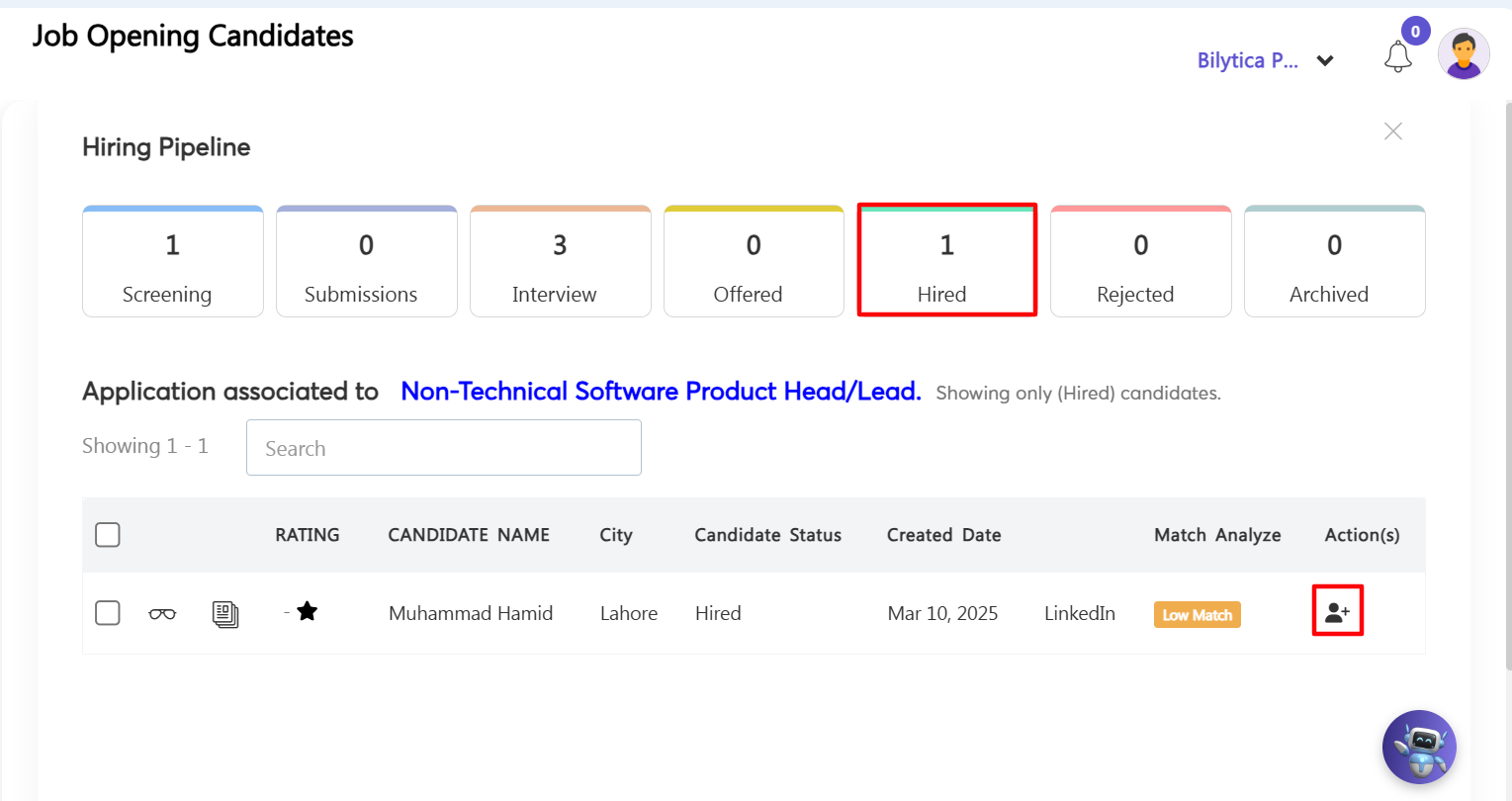
- Step 14: Automatically Create Employee Profiles — Once a candidate is marked for onboarding, go to the Candidates master list page and select their profile row under Pipeline > Hired > Hired. Click the Make this candidate employee button. The system will automatically pull all their application data to instantly build a new, active Employee Profile across your PayPeople HRMS modules, eliminating the need for manual data entry.
Agora Video Engine Workflow Pro-Tip: |