Learning Management System (LMS) Dashboard in PayPeople
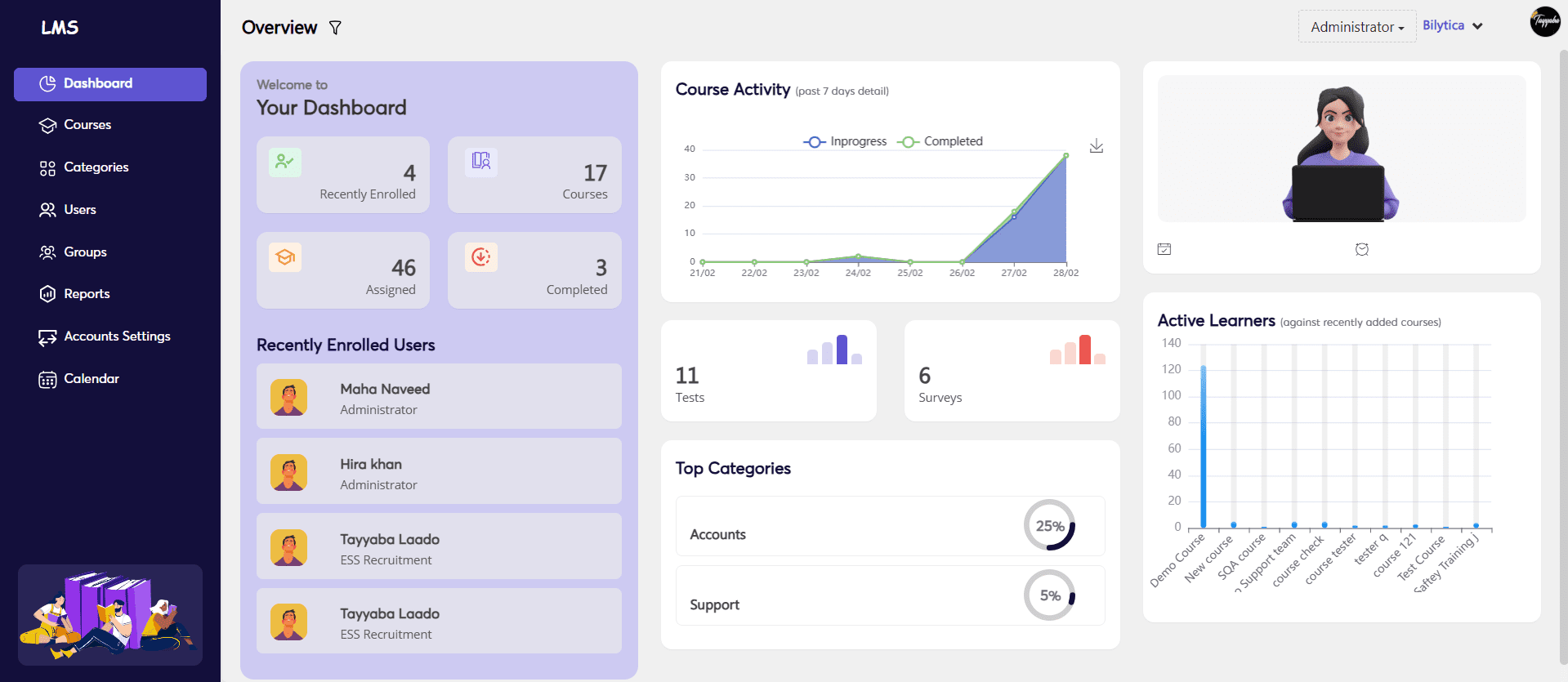
The Learning Management System (LMS) module in PayPeople provides a centralized dashboard that helps administrators, trainers, and employees track and manage learning activities efficiently. This dashboard offers a comprehensive view of enrolled users, assigned courses, test results, surveys, and learning progress.
How to Access the Dashboard:
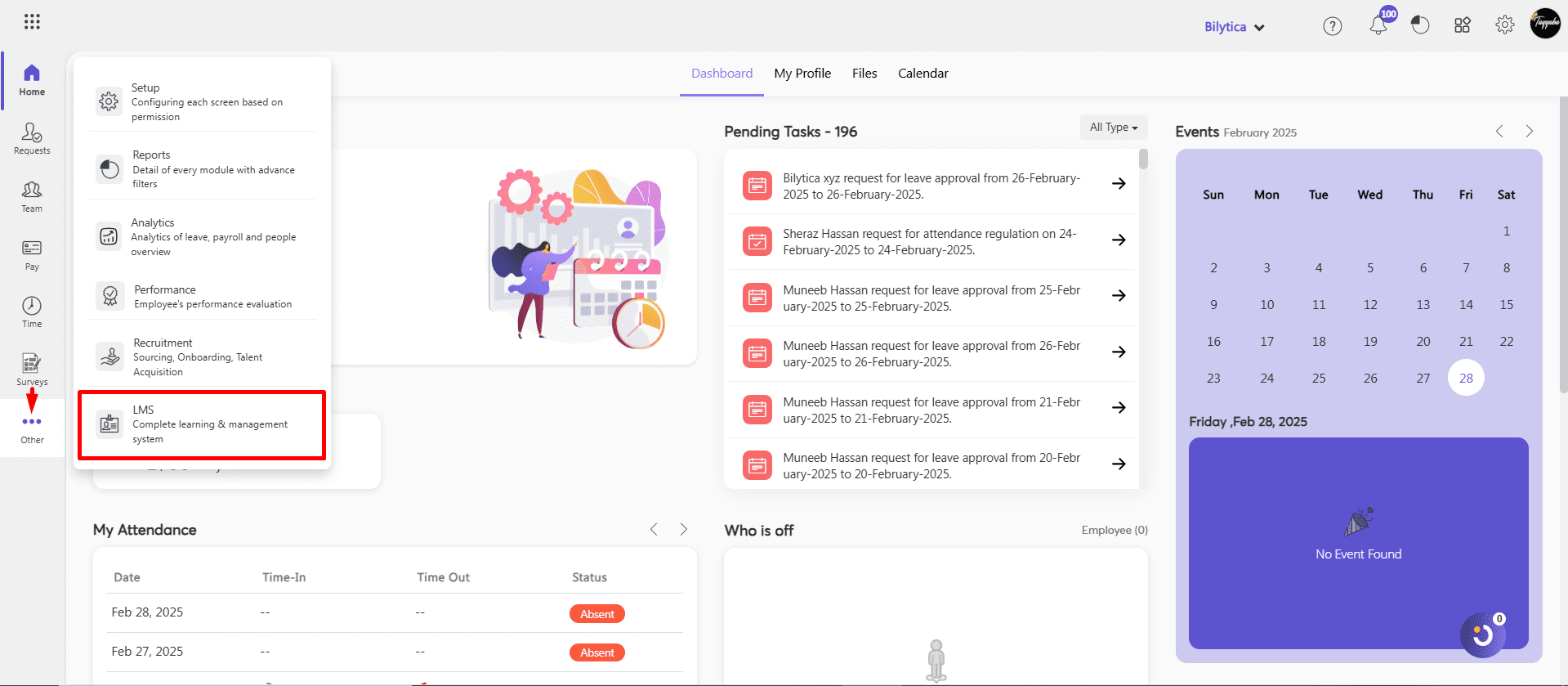
- Login with your PayPeople Admin account.
- Navigate to Others > Learning Management System
Key Features of LMS Dashboard
- Recently Enrolled Users
This section displays the number of users who have recently enrolled in courses. It provides real-time tracking of new learners joining the training programs.
- Total Courses
The dashboard showcases the total number of courses available within the system.
- Assigned Courses
This section represents the total number of courses assigned to employees.
- Completed Courses
Tracks the courses that employees have successfully completed.
- Course Activity (Past 7 Days)
Displays details of course interactions, including progress and completed courses over the past week.
- Tests Conducted
Shows the number of tests created and assigned to employees.
- Surveys Completed
Indicates the number of surveys filled out by employees as part of their learning process.
- Top Categories
Displays the most popular or frequently accessed course categories, which may include various company departments.
- Active Learners
Highlights employees actively participating in recently added courses.