

If you face any previous issue again you can re-open the closed ticket. Re-open a ticket in PayPeople is a simple process that can be completed in just a few steps. Here's how you can do it:
Step 1: Click on 'Closed' tab.
Step 2: Choose the ticket that you wish to reopen. Click on 'Click for Conversation'.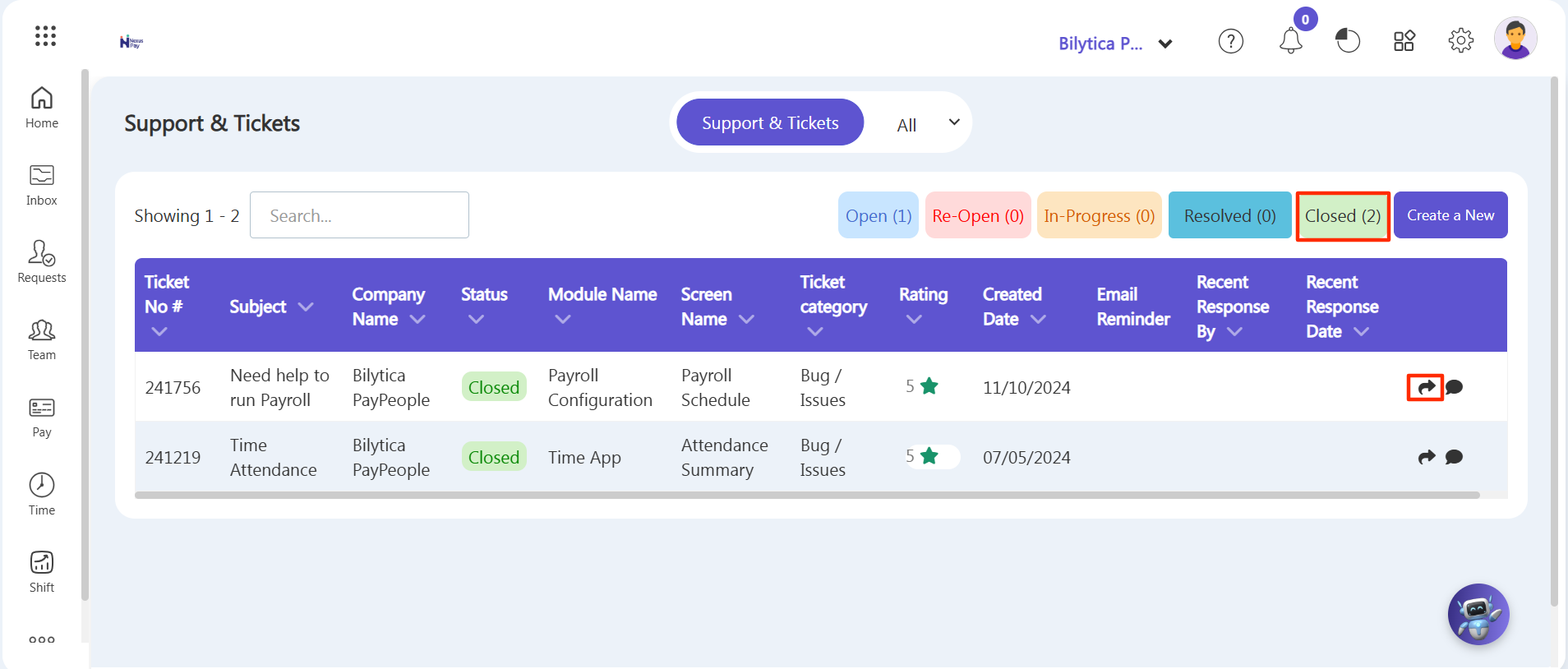
Step 3: Then, locate the Action button located on the top right-hand side of the screen. Click on the drop down arrow button and click Re-Open button.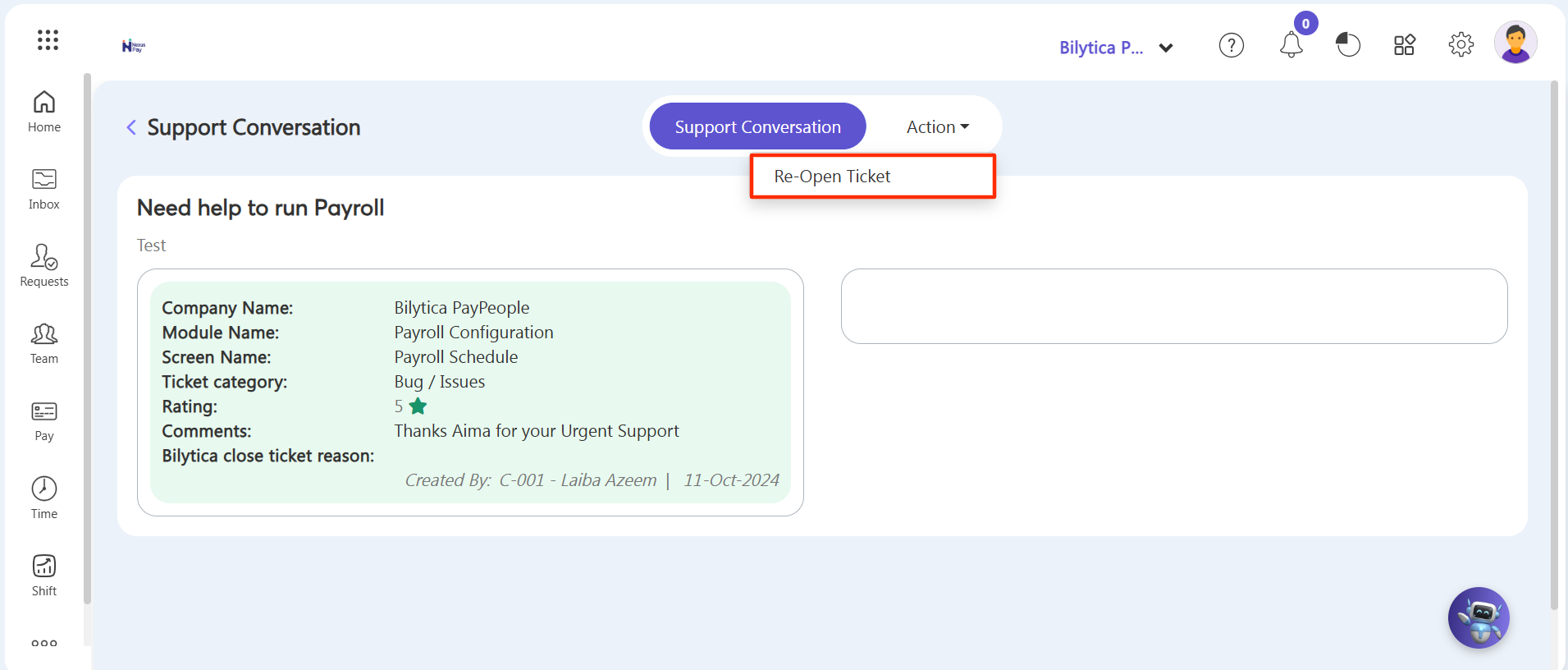
Note: Then the ticket will visible in Re-Open tab (just like you closed the ticket).