

Closing a ticket in PayPeople is a simple process that can be completed in just a few steps. Here's how you can do it:
Step 1: Click on the 'Help' icon located at the top right of the page.
Step 2: Select 'Support & Tickets' from the drop-down menu (same as to create a new ticket).
Step 3: Find the ticket that you want to close in 'Open/ InProgress/Re-Open' tab and click on 'Click for Conversation'.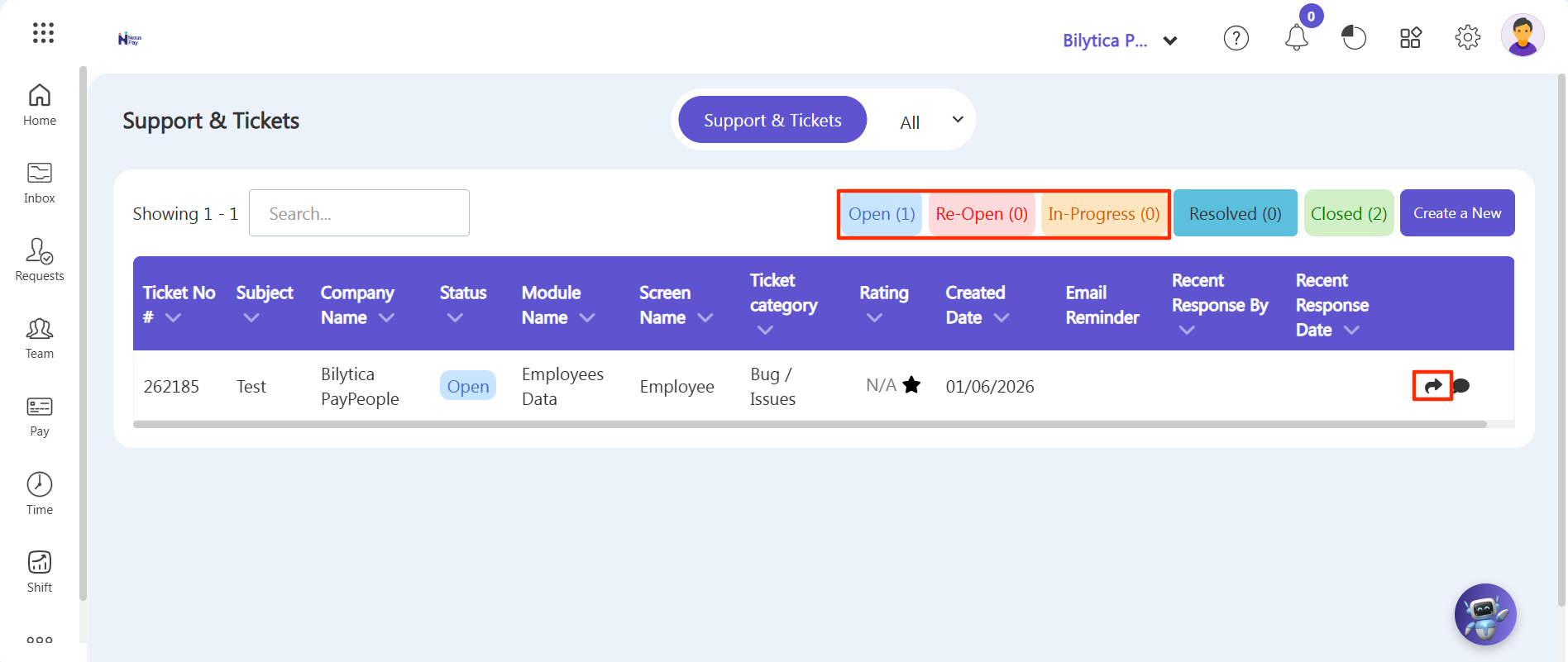
Step 4: Click drop down arrow located besides Action on top right corner.
Step 5: Once you are satisfied that the ticket has been resolved, click on the 'Close Ticket' button.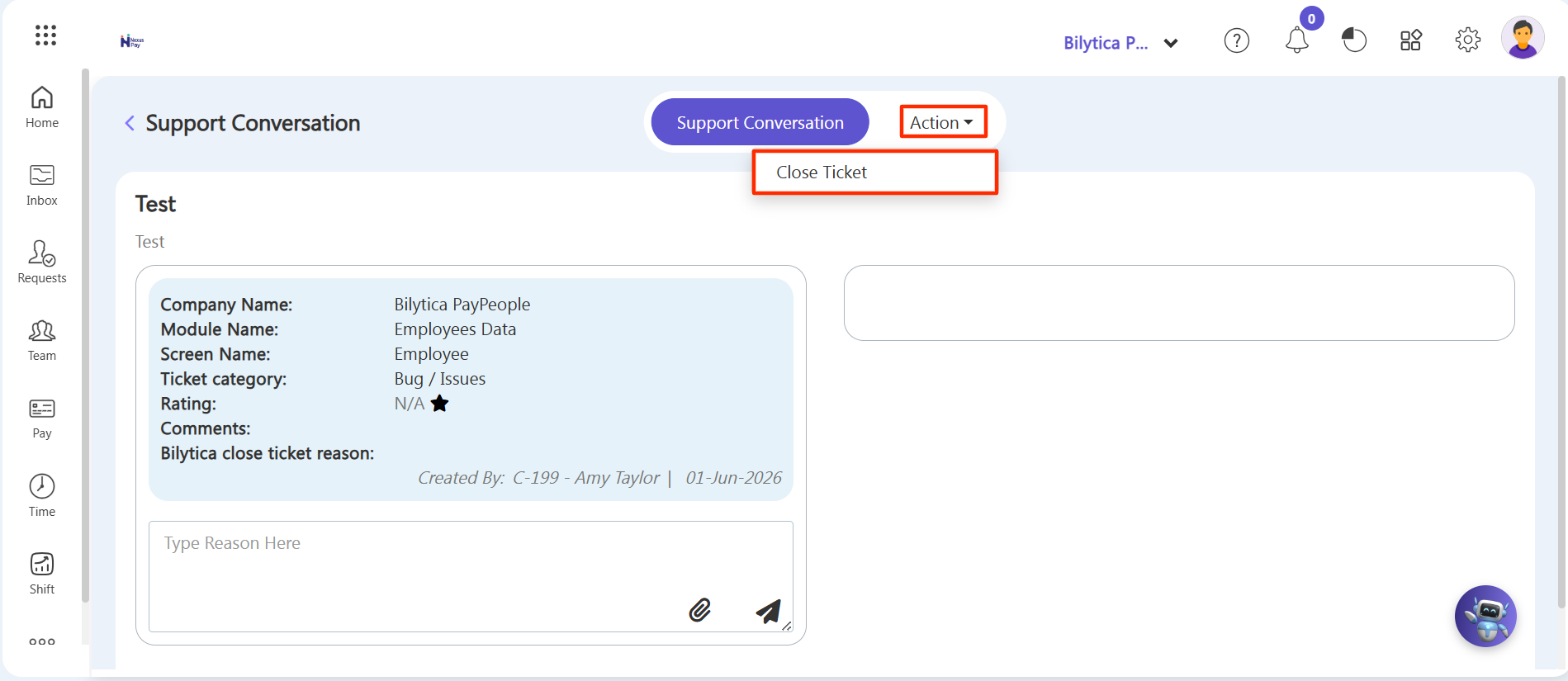
Step 6: You will be prompted to confirm that you want to close the ticket. Click 'OK' to confirm.
Note: The ticket will be marked as closed and will no longer be visible in your open tickets list and visible in Closed tab. Closed button only visible on client side.