

Creating a ticket in PayPeople is a simple process. Follow these steps to create a ticket:
Step 1: Click on the 'Help' icon located at the top right of the page (the question mark inside a circle).
Step 2: Select 'Support & Tickets' from the drop-down menu.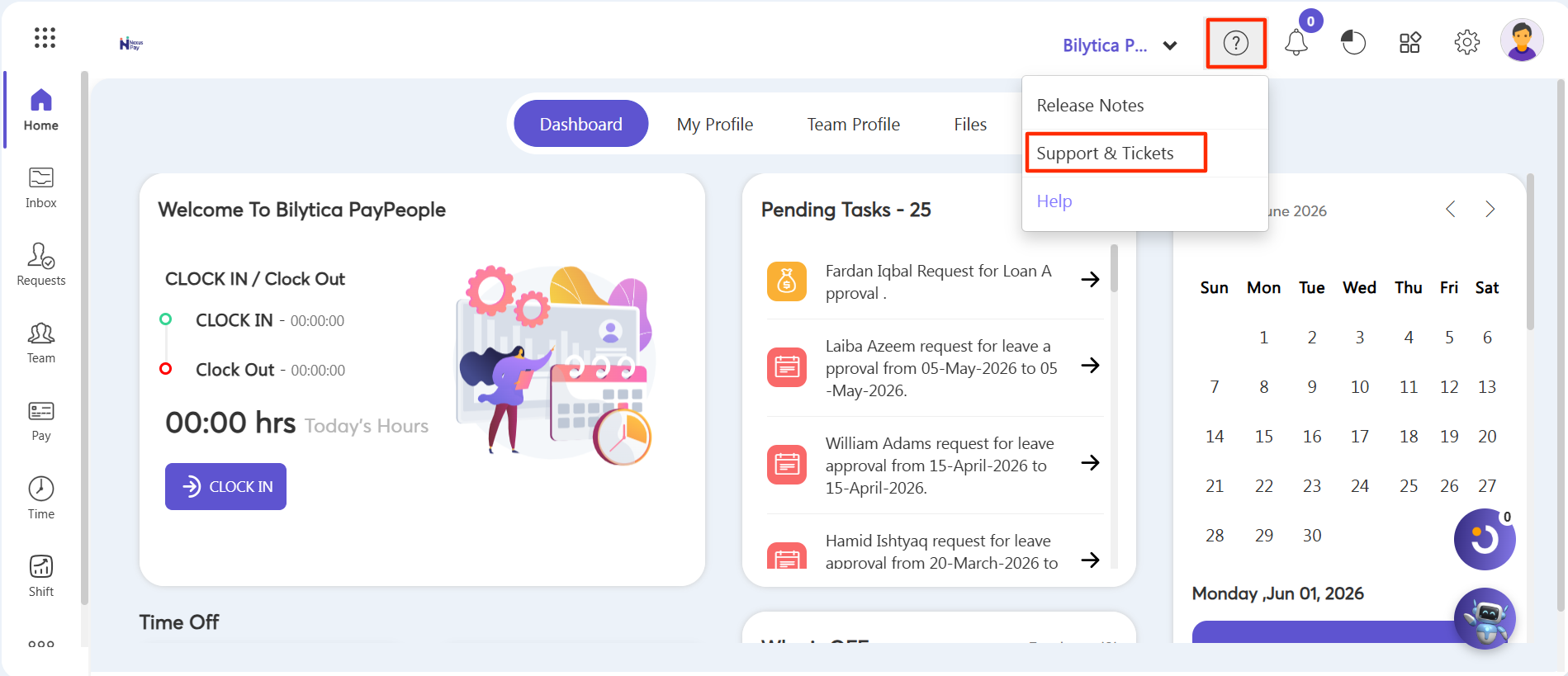
Step 3: Click on Bug/Issues > Create a New.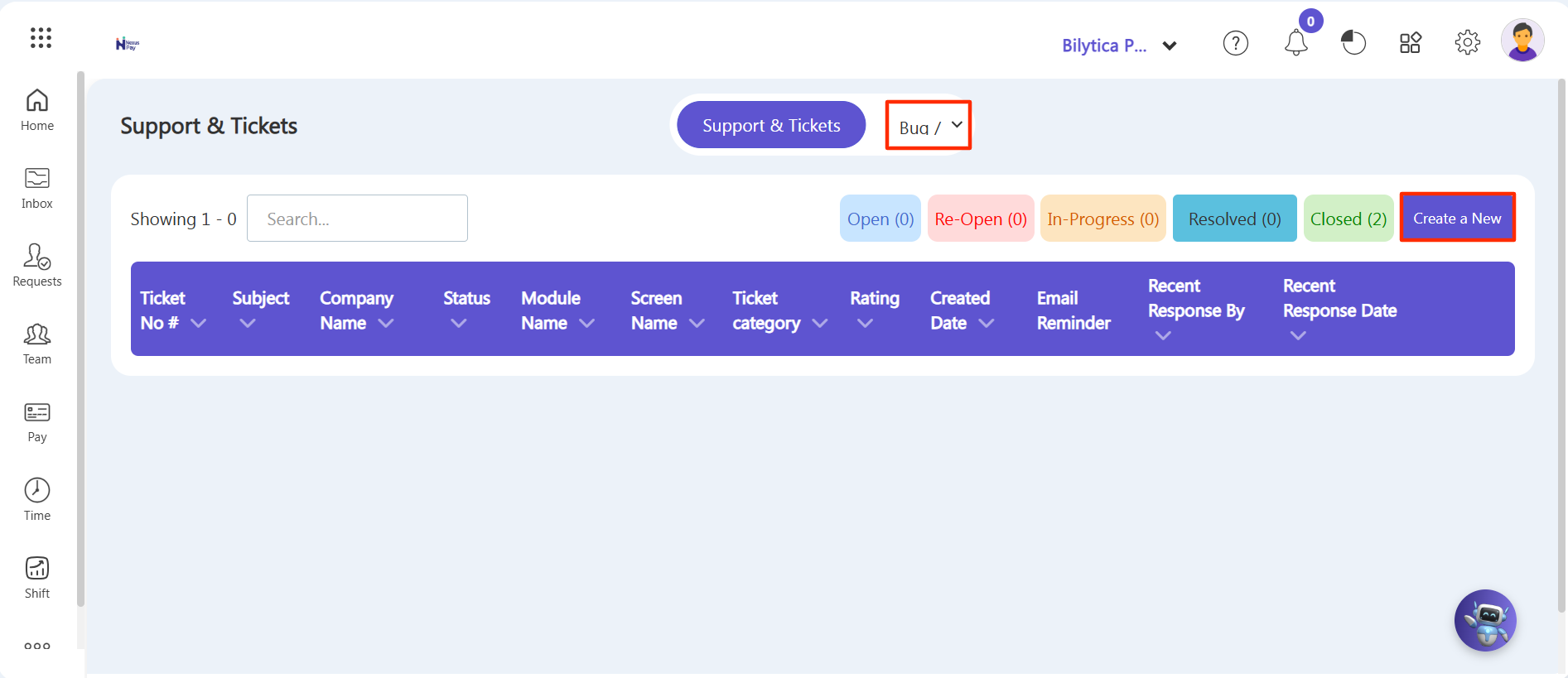
Step 4: Select the screen type and module type.
Step 5: Add a query description and an attachment if there is a query screenshot.
Step 6: Once you have filled out the ticket form, click on the 'Submit' button to send your ticket to our support team.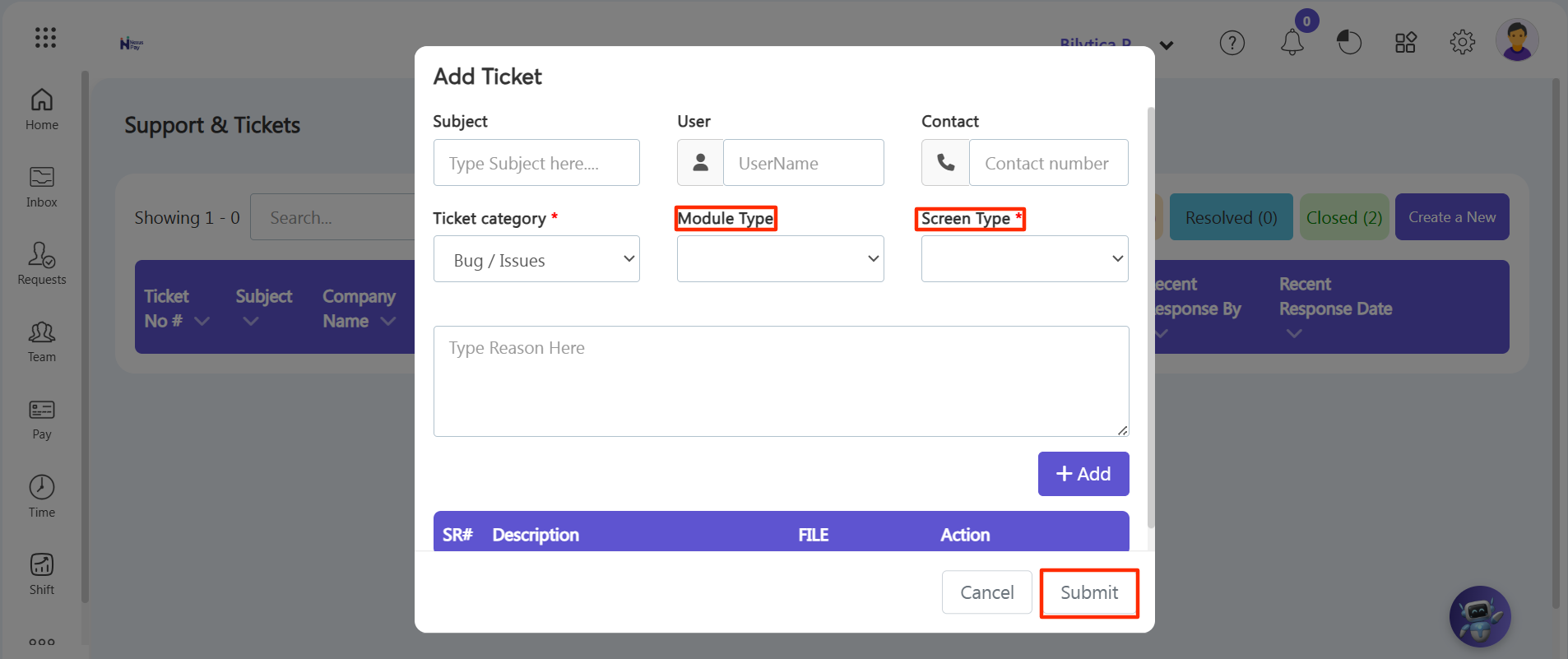
Note: After ticket submission it will be visible in Open tab.