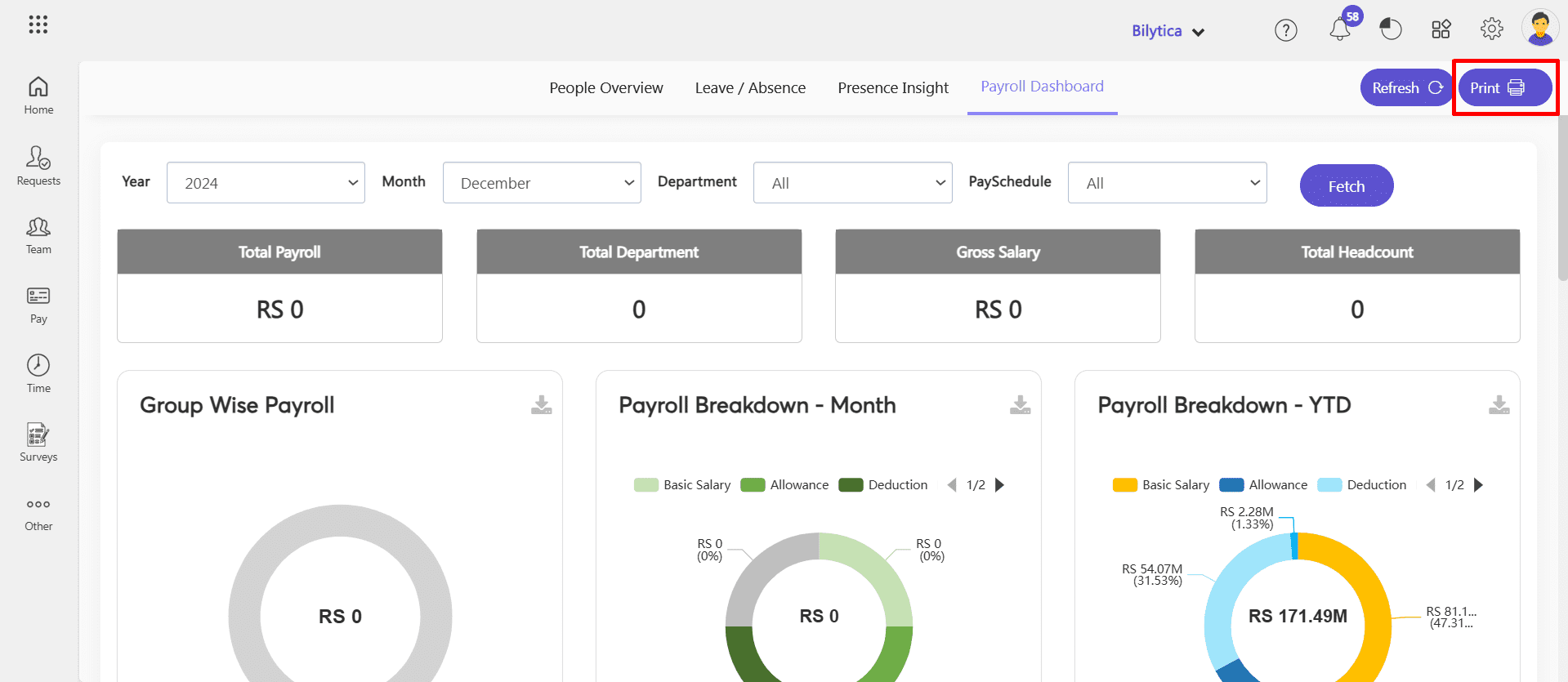
Payroll Dashboard in PayPeople HRMS
The Payroll Dashboard in PayPeople HRMS provides an in-depth analysis of payroll data, enabling organizations to track, review, and optimize payroll processes. This dashboard offers a clear view of payroll costs and trends across different dimensions, ensuring financial efficiency and compliance.
The Payroll Dashboard in PayPeople HRMS is a powerful tool for managing payroll processes, ensuring transparency, and optimizing financial resources effectively.
How to Access the Payroll Dashboard:
- Go to Menu Path:OtherAnalytics
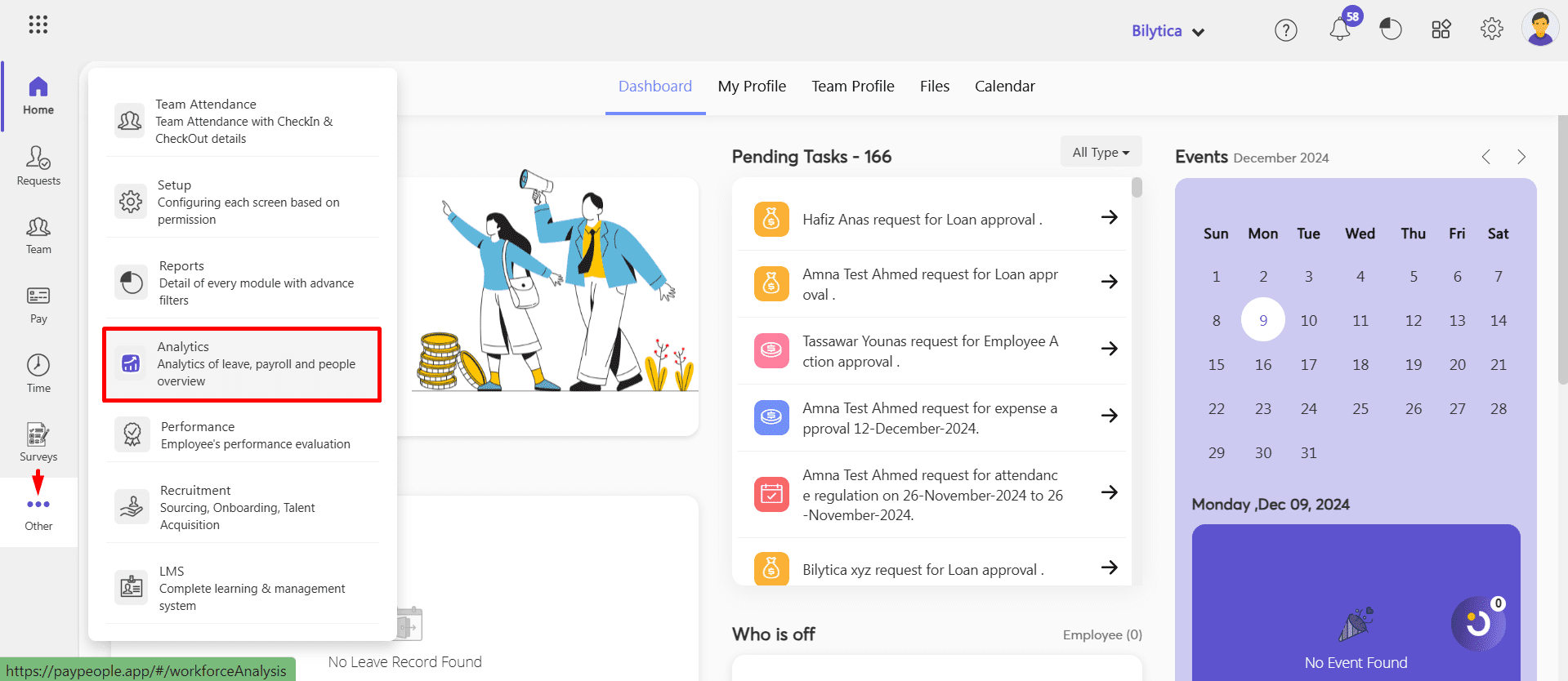
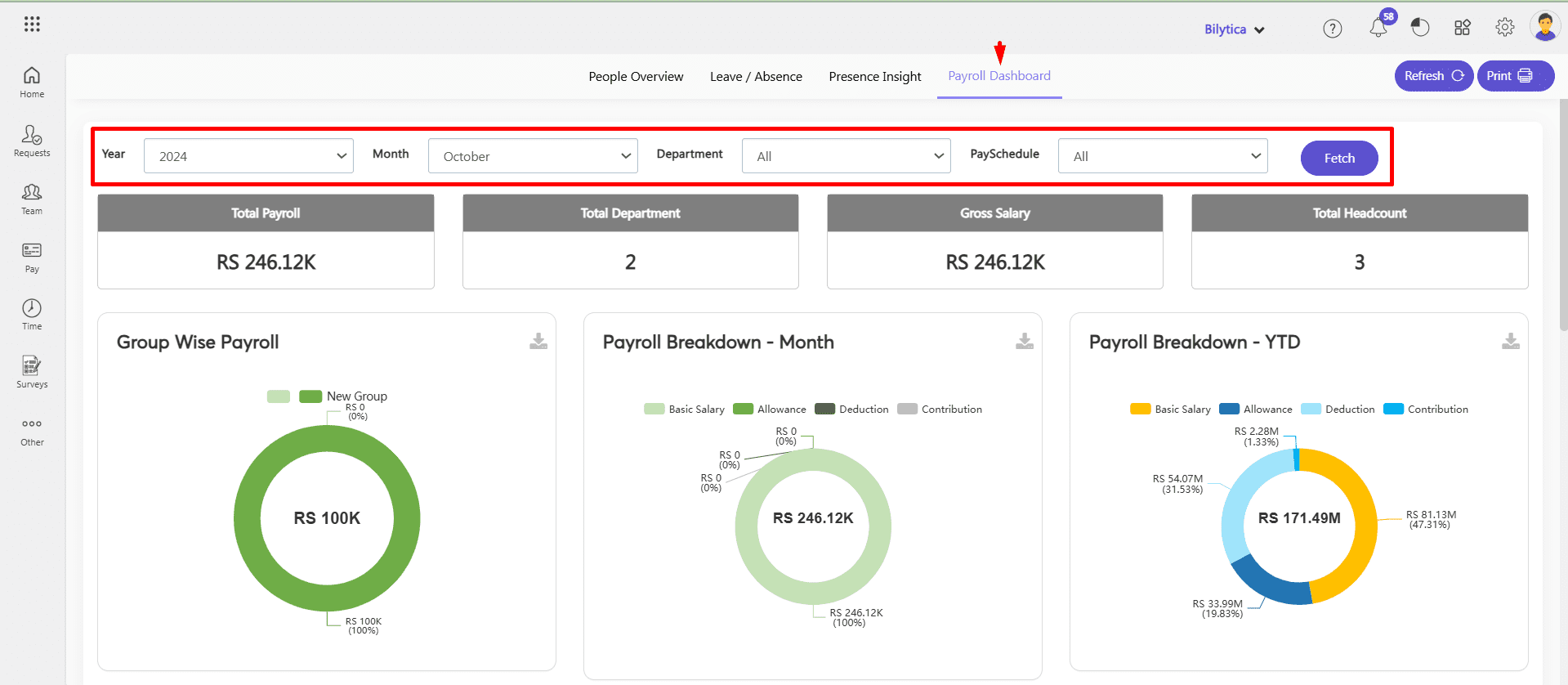
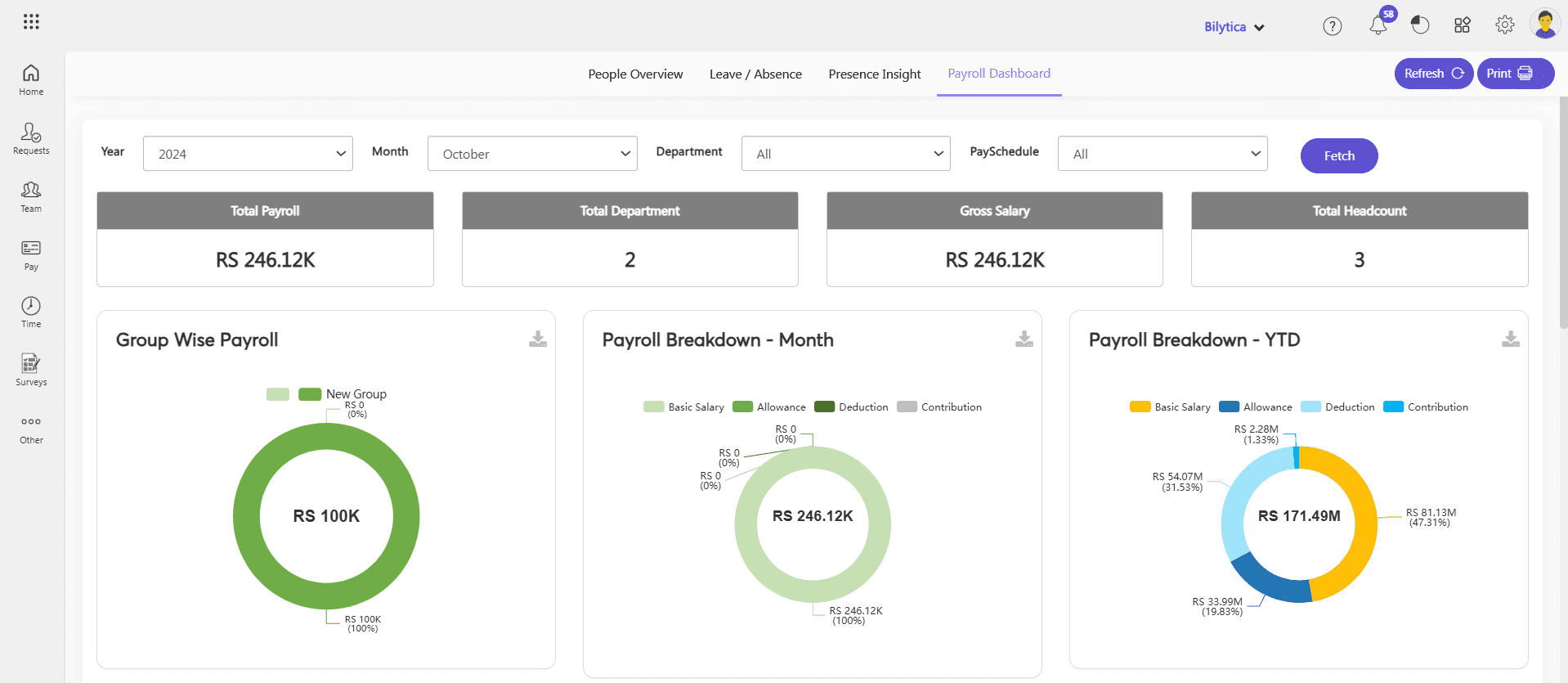
- Click Payroll Dashboard. Select year and month and department and click fetch button to see the result.
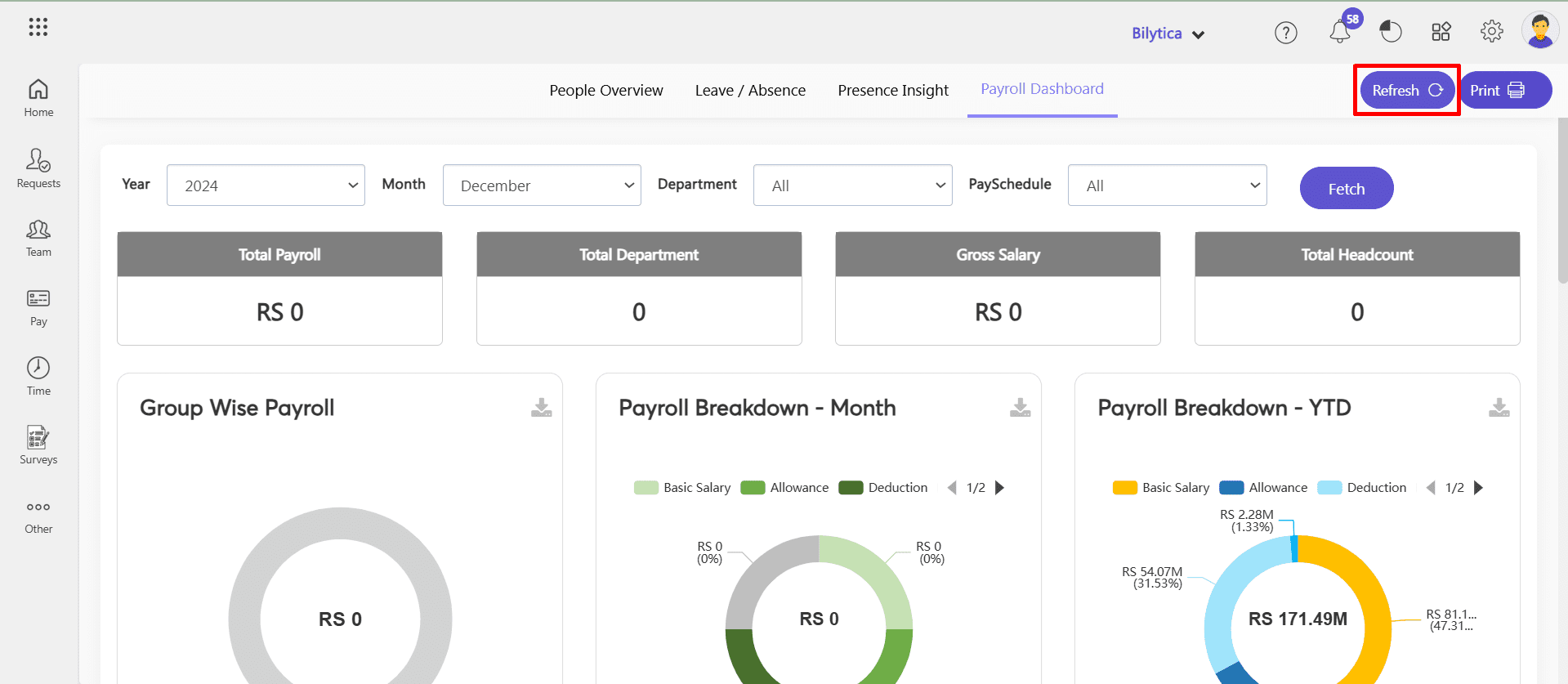
- By clicking refresh button, you can reset the data.
Key Features:
- Group-Wise Payroll:
- Displays payroll expenses segmented by predefined employee groups.
- Benefit: Helps analyze payroll allocation and identify cost-intensive groups.
- Payroll Breakdown – Month:
- Provides a detailed breakdown of payroll expenses (e.g, basic salary, allowances, contributions, deductions) for the current month.
- Benefit: Offers a quick snapshot of monthly payroll costs, ensuring accuracy in disbursement.
- Payroll Breakdown – YTD:
- Summarizes payroll costs year-to-date (YTD).
- Benefit: Tracks annual payroll trends and ensures alignment with budget forecasts.
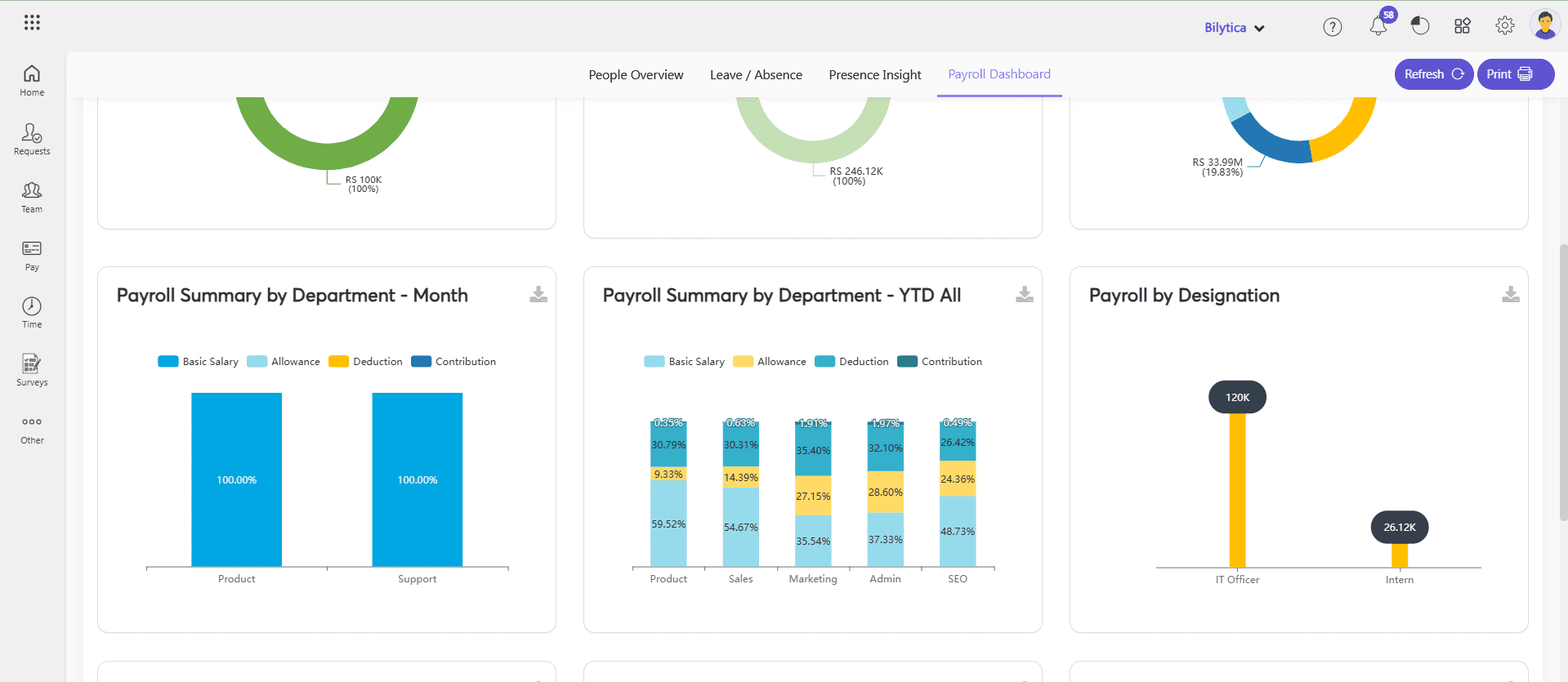
- Payroll Summary by Department – Month:
- Highlights monthly payroll expenses department-wise.
- Benefit: Allows HR and finance teams to evaluate departmental payroll costs.
- Payroll Summary by Department – YTD (All):
- Provides a cumulative year-to-date summary of payroll expenses for all departments.
- Benefit: Offers insights into annual spending and departmental payroll distribution.
- Payroll by Designation:
- Breaks down payroll costs by employee designations.
- Benefit: Identifies payroll trends for specific roles, aiding in workforce cost management.
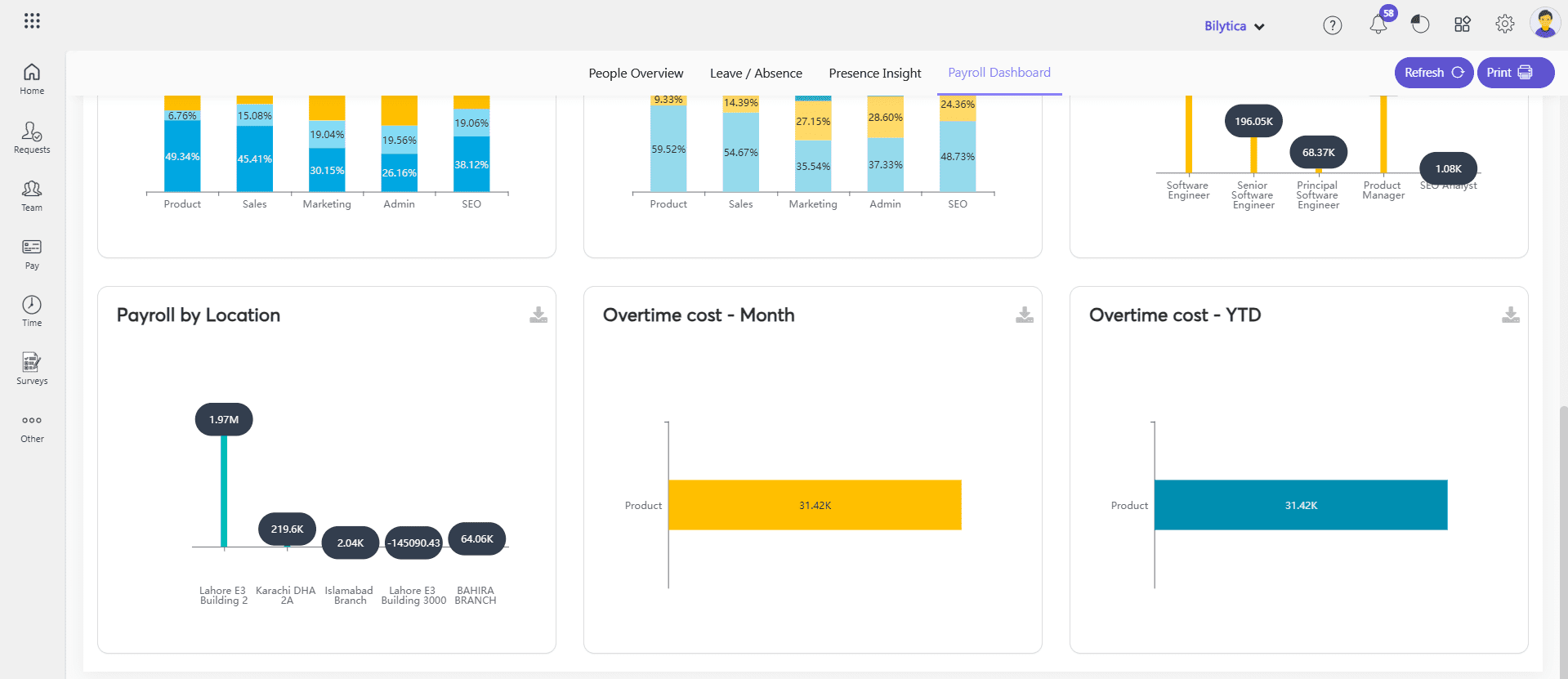
- Payroll by Location:
- Analyzes payroll expenses based on employee locations or offices.
- Benefit: Tracks regional payroll trends, supporting localized financial planning.
- Overtime Cost – Month:
- Calculates the total overtime cost incurred in the current month.
- Benefit: Highlights departments or teams with high overtime, helping control excess expenses.
- Overtime Cost – YTD:
- Summarizes overtime costs year-to-date.
- Benefit: Provides a comprehensive view of annual overtime spending, aiding in budget adjustments.
Print Payroll Dashboard
The Print Payroll Dashboard feature in PayPeople HRMS allows users to generate a printable version of the payroll data for record-keeping or sharing purposes. This functionality ensures that payroll insights can be easily accessed and presented in meetings or stored for compliance. For print out:
- Click Print button on top right corner.