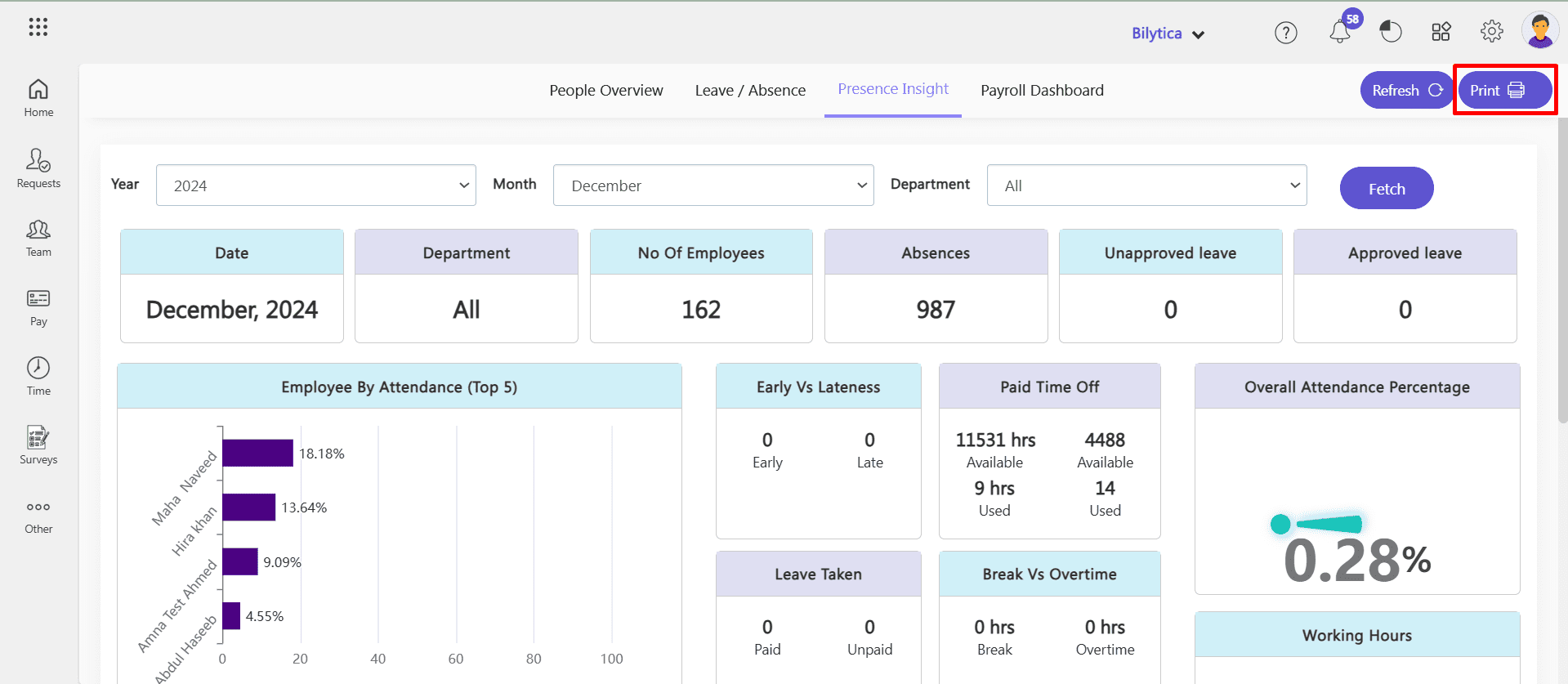
Presence Insight Dashboard in PayPeople HRMS
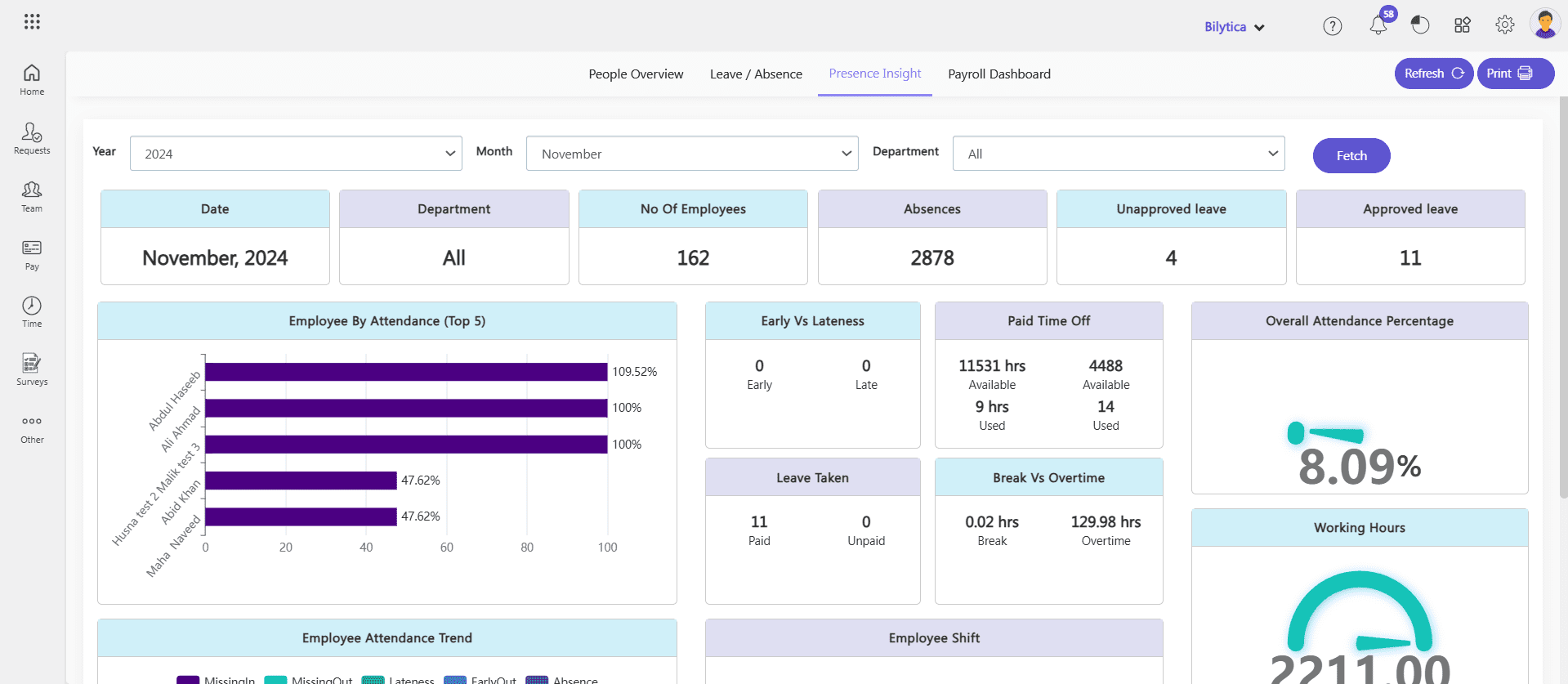
The Presence Insight Dashboard in PayPeople HRMS is designed to provide comprehensive visibility into employee attendance patterns and working hours. It helps HR teams and managers analyze attendance trends, identify irregularities, and optimize workforce efficiency.
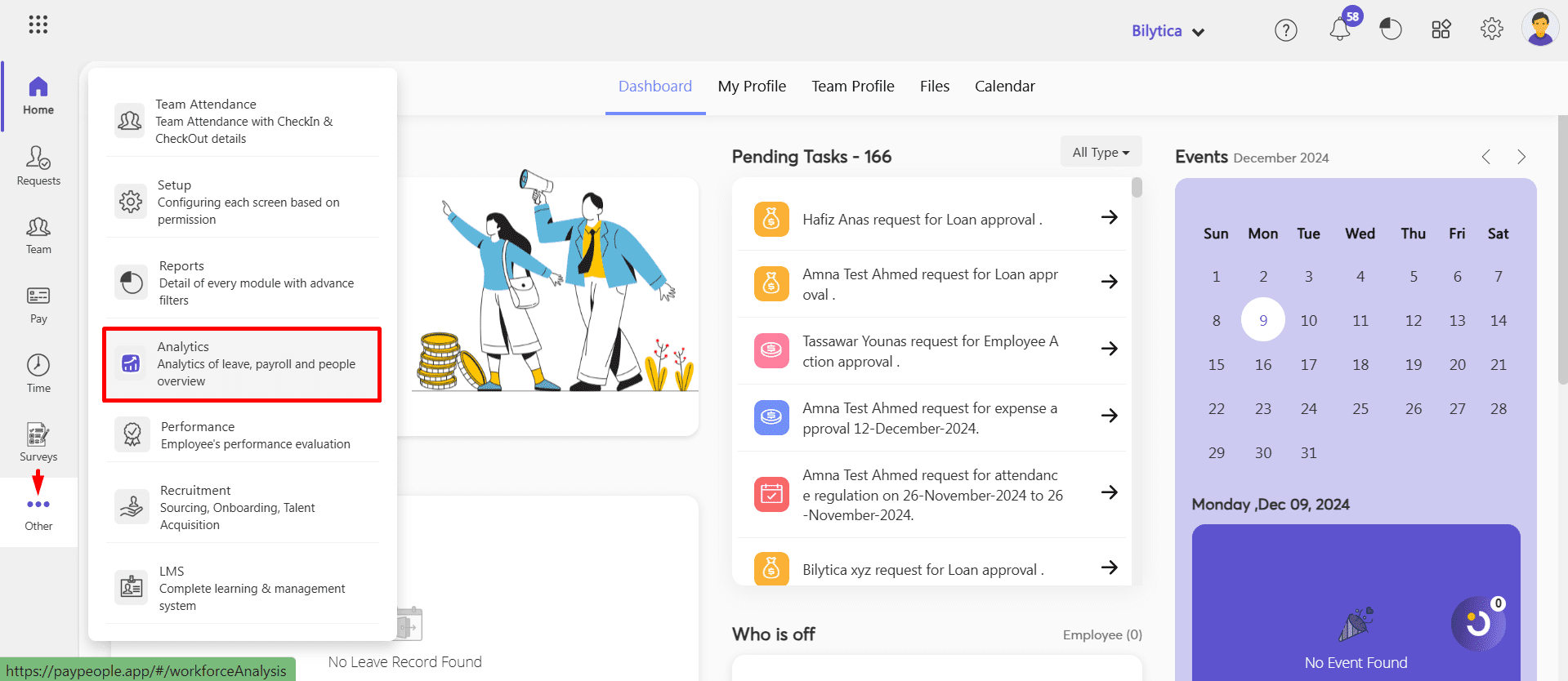
How to Access the Dashboard:
- Go to Menu Path:OtherAnalytics
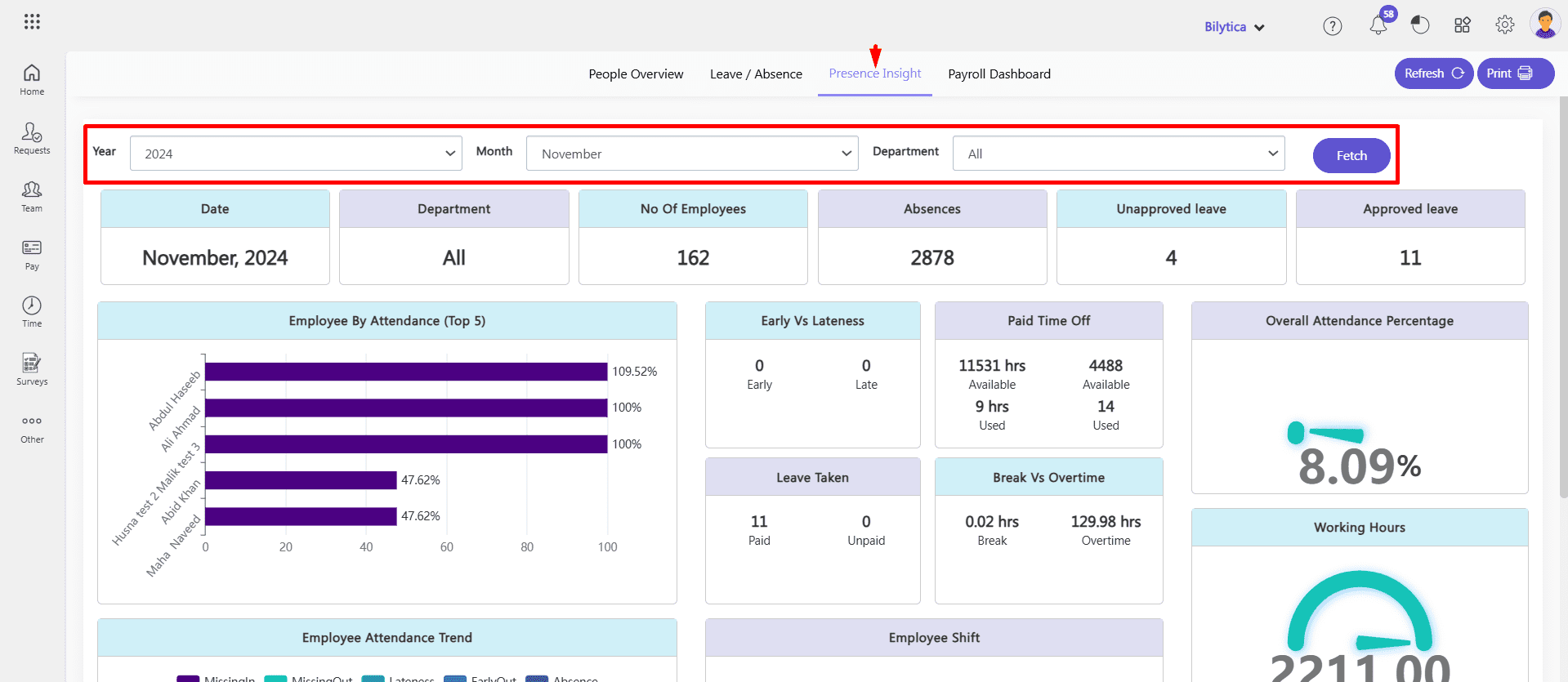
- Click Presence Insight. Select year and month and department and click fetch button to see the result.
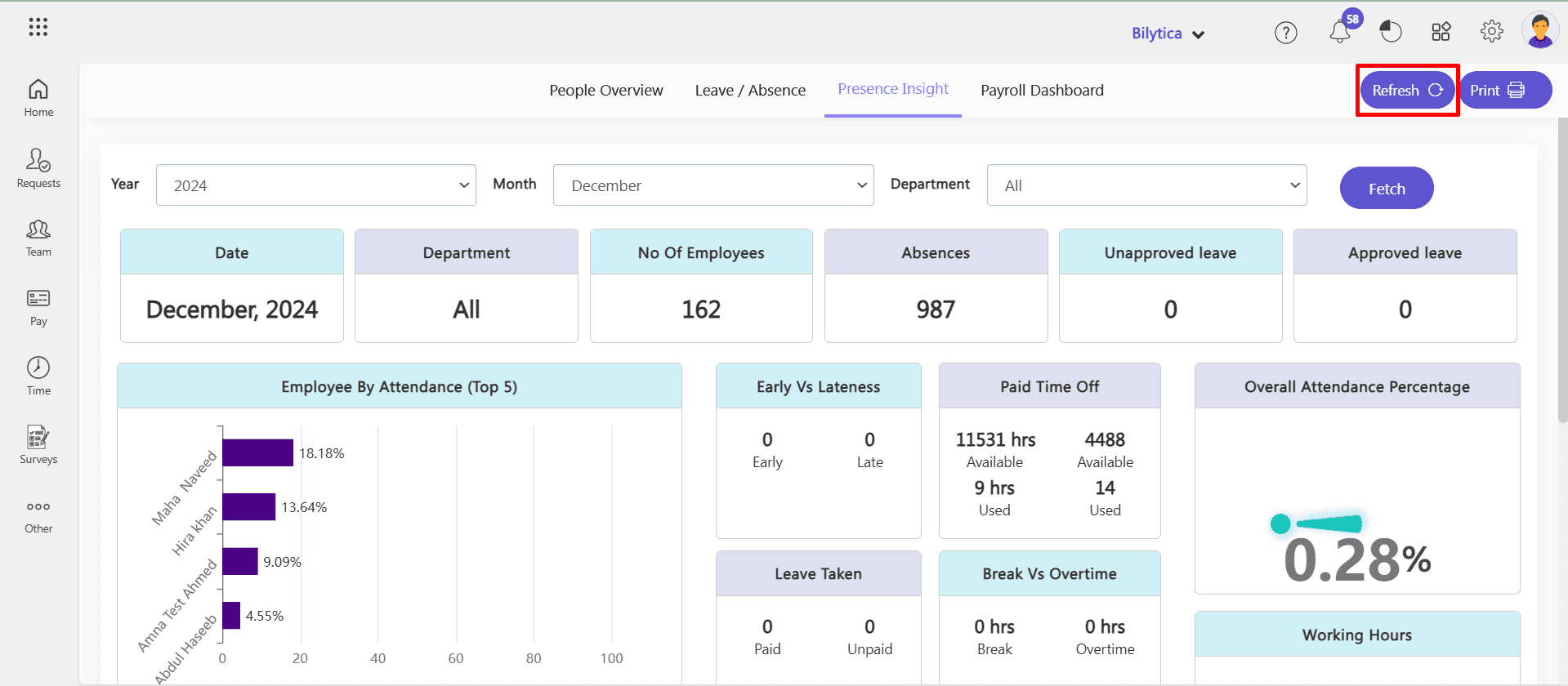
- By clicking refresh button, you can reset the data.
Key Features:
- Employee by Attendance (Top 5):
- Highlights the top 5 employees based on attendance performance.
- Benefit: Recognize employees with exemplary attendance and encourage others to improve.
- Early vs. Lateness:
- Compares the number of early arrivals against late check-ins.
- Benefit: Helps pinpoint punctuality trends and areas needing corrective measures.
- Paid Time Off:
- Tracks the usage of paid leave, including annual and sick leave.
- Benefit: Ensures paid leave utilization aligns with company policies.
- Leave Taken:
- Displays leave usage trends over a specified period.
- Benefit: Identifies patterns that may impact workforce availability.
- Break vs. Overtime:
- Compares the time spent on breaks with overtime hours worked.
- Benefit: Assists in evaluating work-life balance and adherence to schedules.
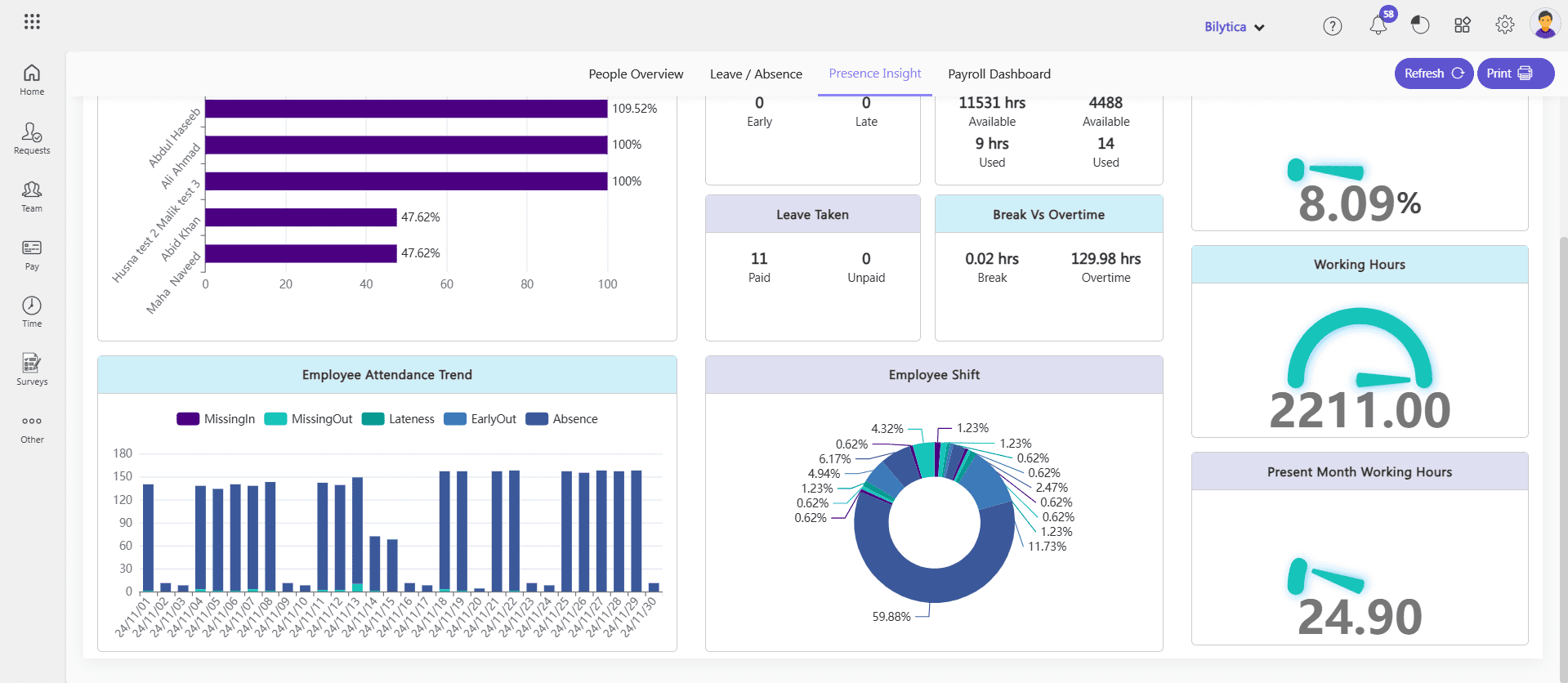
- Employee Attendance Trend:
- Tracks attendance irregularities such as:
- Missing In: No clock-in recorded.
- Missing Out: No clock-out recorded.
- Lateness: Late arrivals to work.
- Early Out: Leaving work before scheduled time.
- Absence: Days without any attendance record.
- Benefit: Identifies attendance issues for targeted interventions.
- Tracks attendance irregularities such as:
- Employee Shift Insights:
- Benefit: Helps ensure smooth shift planning and compliance.
- Overall Attendance Percentage:
- Calculates the overall attendance rate for the workforce.
- Benefit: Offers a high-level view of organizational attendance health.
- Working Hours:
- Summarizes total hours worked by employees.
- Benefit: Helps monitor productivity and compliance with working hour policies.
- Present Month Working Hours:
- Displays the total working hours logged by employees in the current month.
- Benefit: Evaluates monthly productivity and tracks deviations early.
Print Presence Insight Dashboard
The Print Presence Insight Dashboard feature in PayPeople HRMS enables users to generate a printable version of attendance and presence data. This feature is useful for sharing insights in meetings, maintaining records, or providing updates to stakeholders. For print out:
- Click Print button on top right corner.