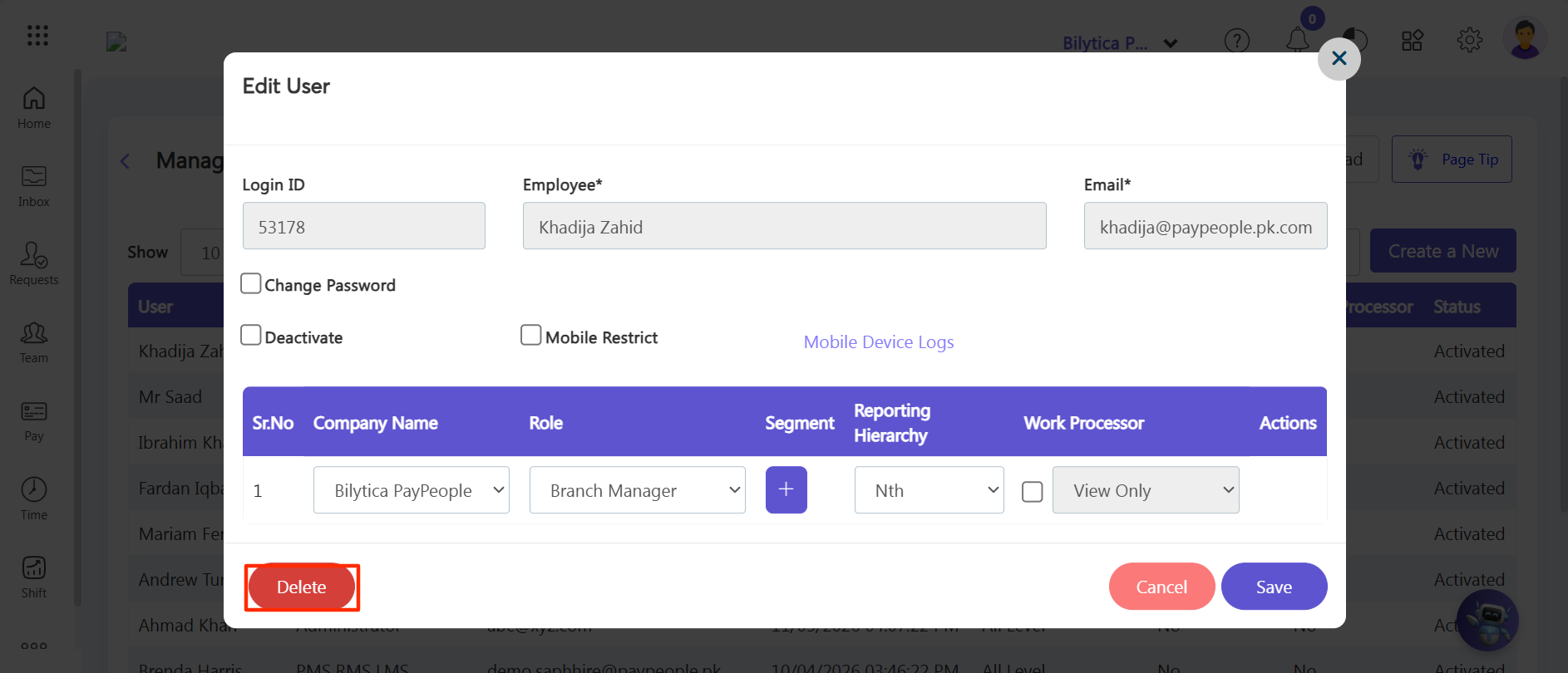
Step 1: Go to Settings > Security > Manage Users and click on the specific employee user account row you want to remove.
Step 2: Scroll to the base of the popup edit window layout, locate the red Delete button on the left margin, click it, and confirm.