Roles define your company's hierarchy and specify what fields or system modules an employee can open.
Step 1: Click the Settings gear icon on the top right, then go to Security > Manage Roles.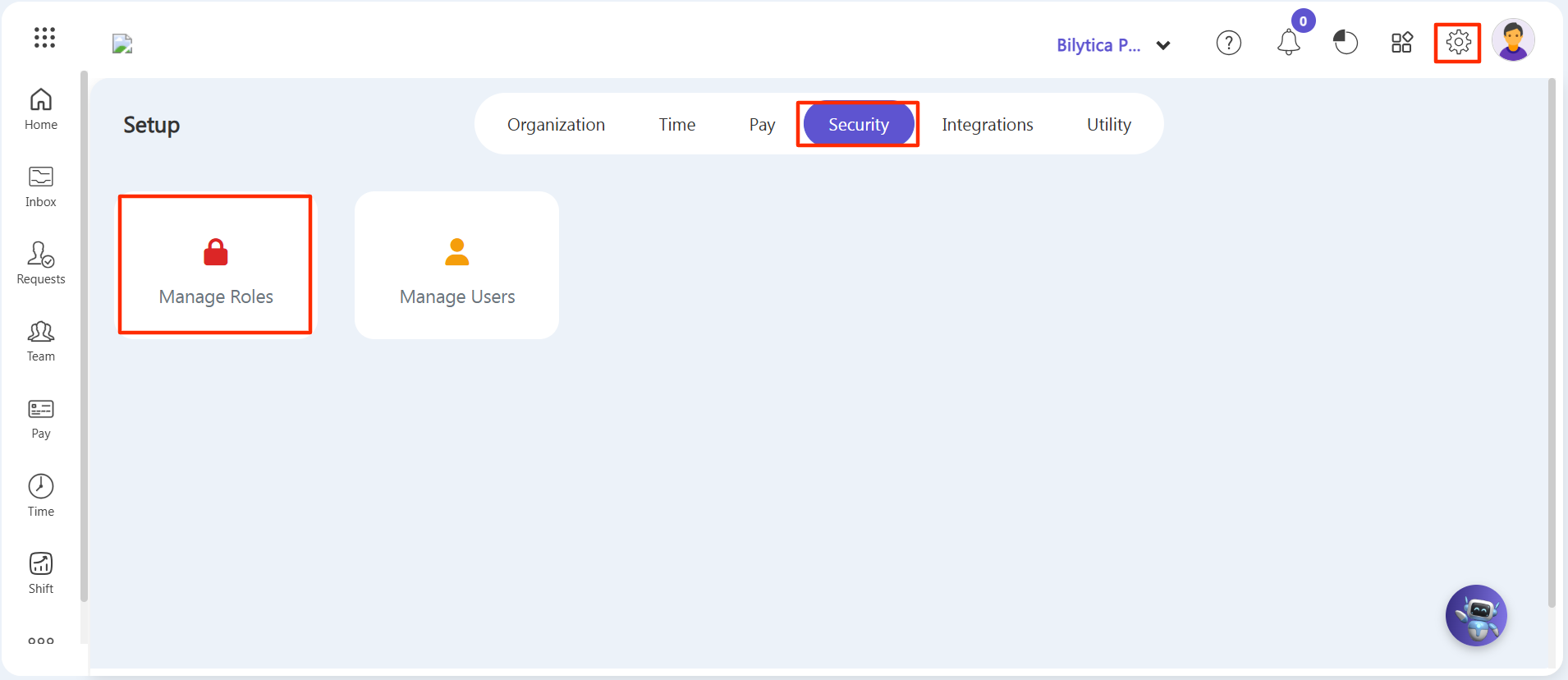
Step 2: Click the purple Create a New button in the top right corner.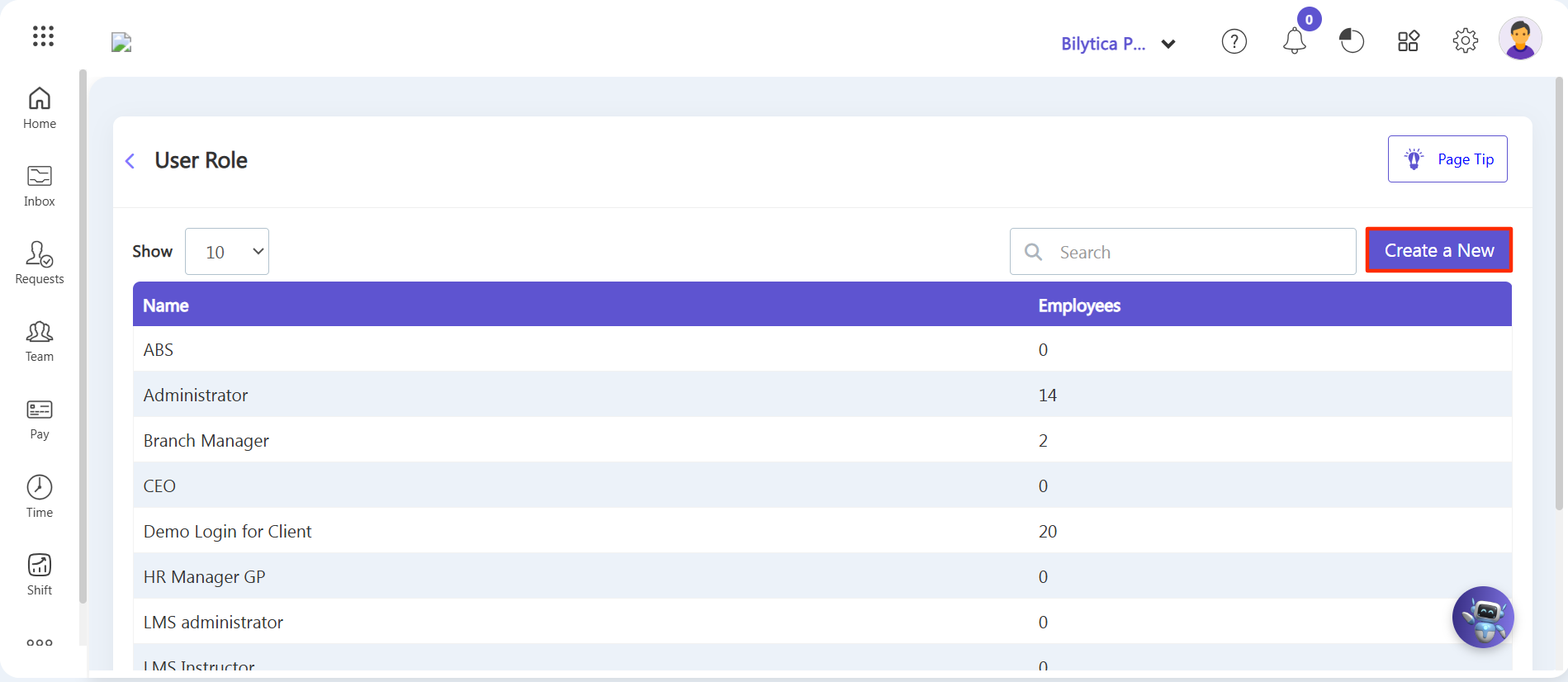
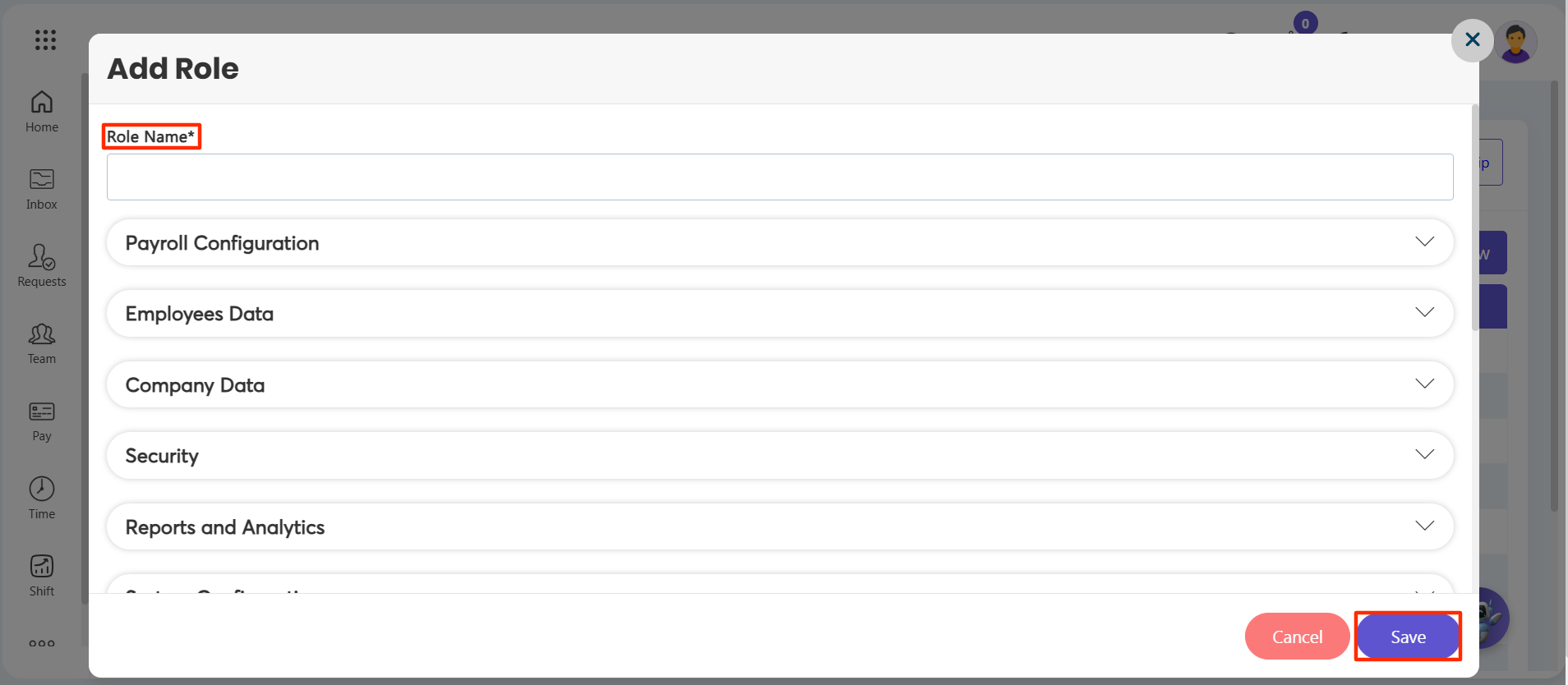
Step 3: Type the Role Name (such as Branch Manager, Accountant, or Team Lead) inside the labeled form box.
Step 4: Expand the specific software sections (like Payroll Configuration or Employees Data) and check the checkboxes for the forms you want to allow them to access.
Step 5: Click the purple Save button at the base of the window layout.