

If an employee goes on a long leave, or you need to block platform access immediately without completely deleting their account records, change their status indicator:
Step 1: Navigate to Settings > Security > Manage Users and tap on the employee name card.
Step 2: Check the Deactivate checkbox box to lock their system session completely. (To unlock them later, simply uncheck the Deactivate checkbox).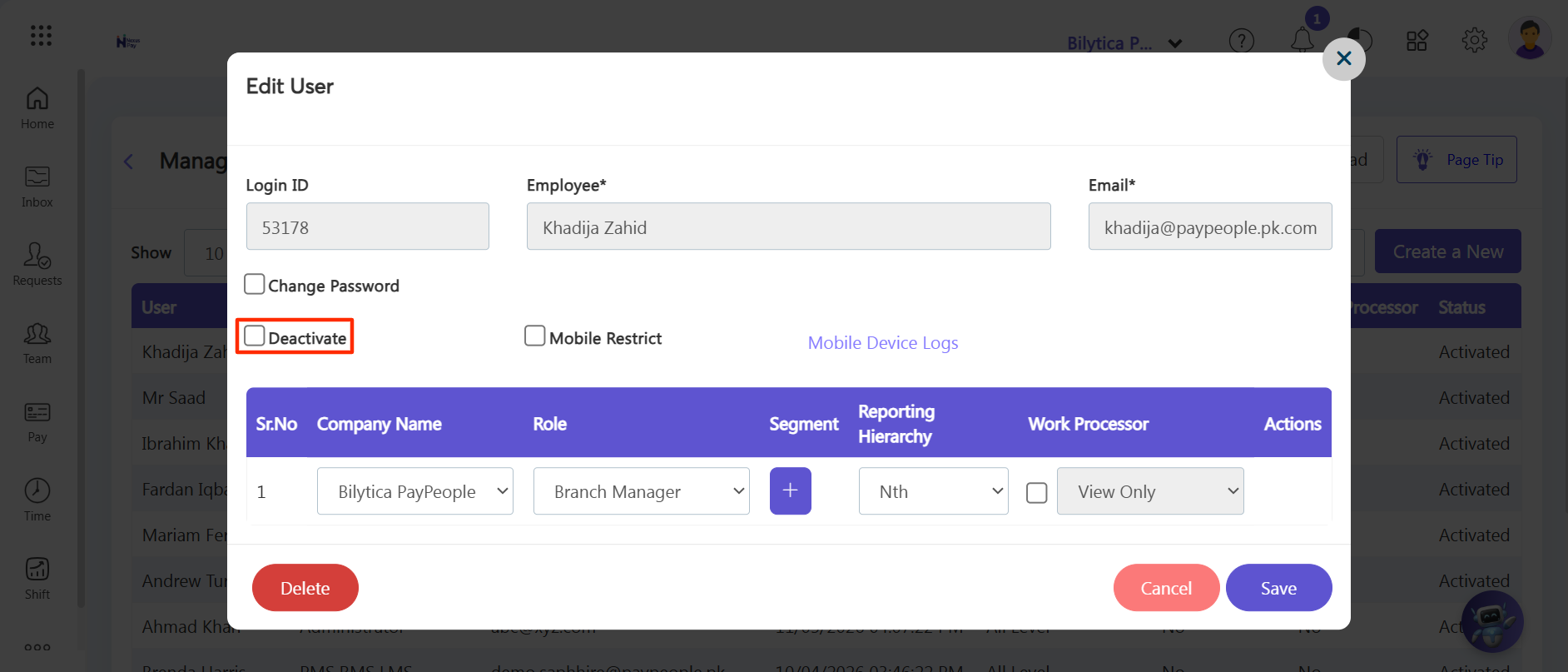
Step 3: Click the purple Save button to apply the access restrictions instantly.
Executive Administrative Tip: |