Events & AnnouncementsView Announcements on the Home Calendar
Viewing Announcements on the Main Home Calendar
Last reviewed: 26 October 2026
Once you save an event announcement, it becomes visible to all employees immediately inside their shared calendar panels:
Step 8: Go back to the main Home module page view and navigate to the Calendar tab sub-selection.
Step 9: Your newly added announcement will appear prominently on its assigned date tile inside the month-view grid chart.
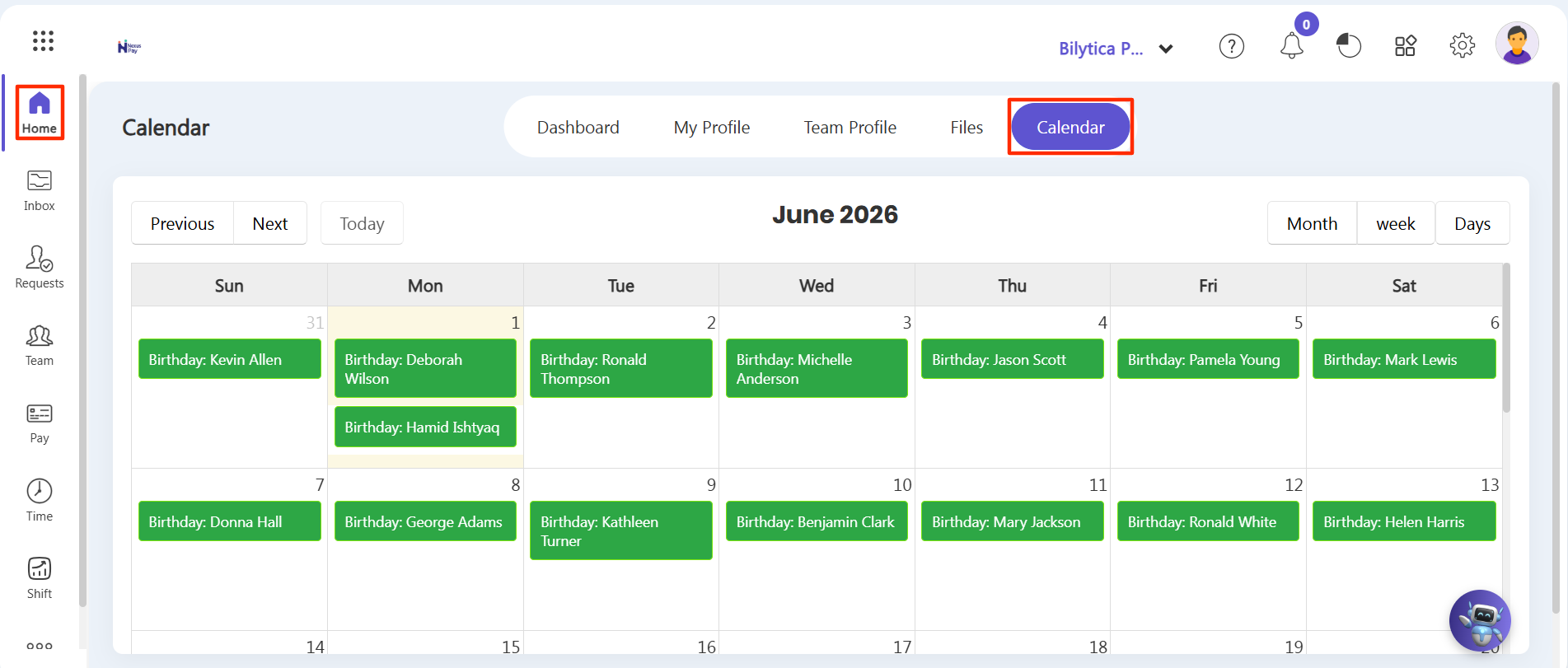
Automated Calendar Features:
In addition to custom announcements you create manually, the system automatically pulls data from your employee records to pin other milestones, including employee Birthdays and Job Anniversaries! This keeps the team connected and informed without any manual tracking updates. |

