

When you are finished checking your attendance, processing data, or managing your team, it is important to log out of your PayPeople account. Logging out protects your information, especially if you share a computer with others.
Step-by-Step Instructions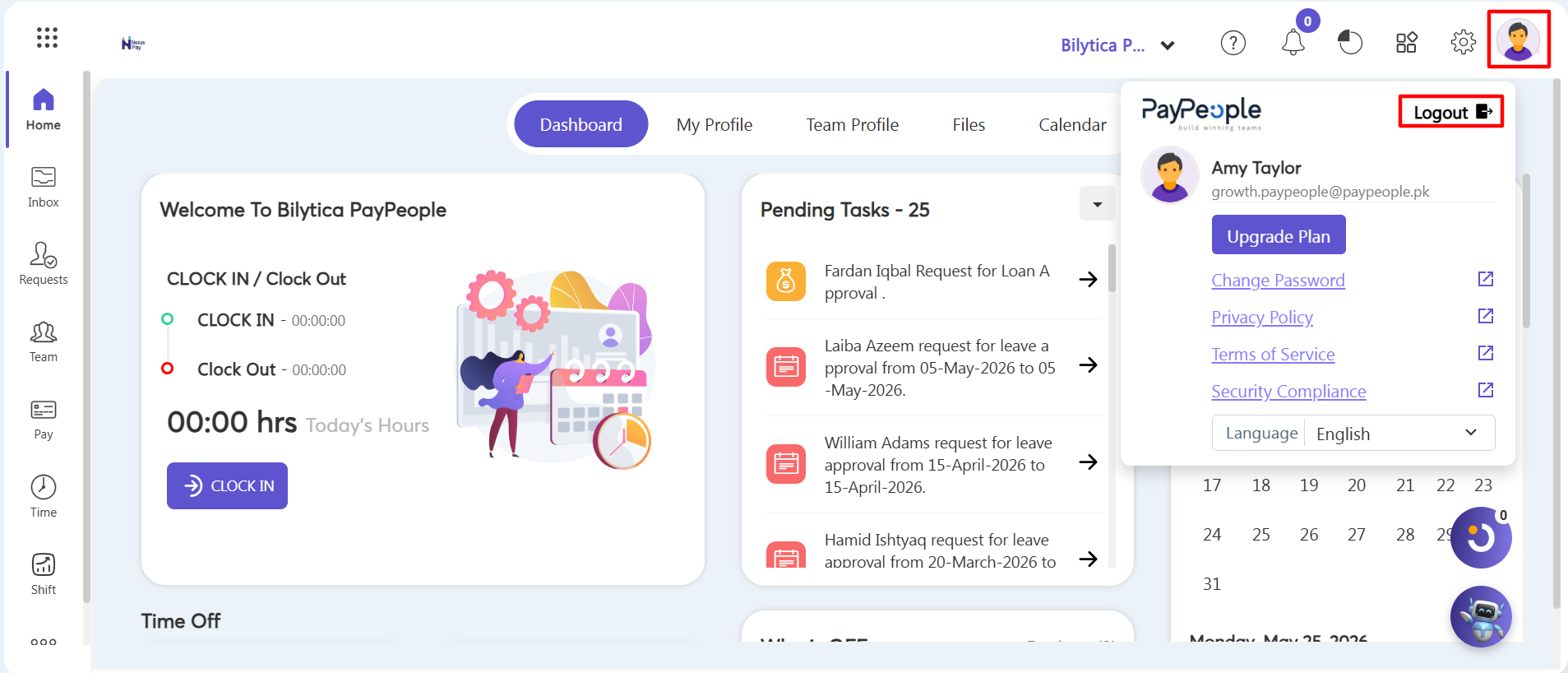
- Step 1: Access the Profile Menu — Look at the top-right corner of your screen and click on your Profile Icon (the circular user avatar highlighted in red) to expand your personal profile menu.
- Step 2: Sign Out — From the dropdown panel that appears, click the Logout button (highlighted in red next to your user details). The system will immediately terminate your session and return you safely to the main login screen.
Safety Reminder: |