

Time

Live Attendance

4 min read Official Workflow Click any image to enlarge

How to View the Current-Day Live Attendance?

In the live attendance module, you can see a complete view of current-day attendance.

Besides this, you can also see the time of clock in and clock out of an employee.

  • Go to Menu Path:TimeAttendanceLive Attendance.
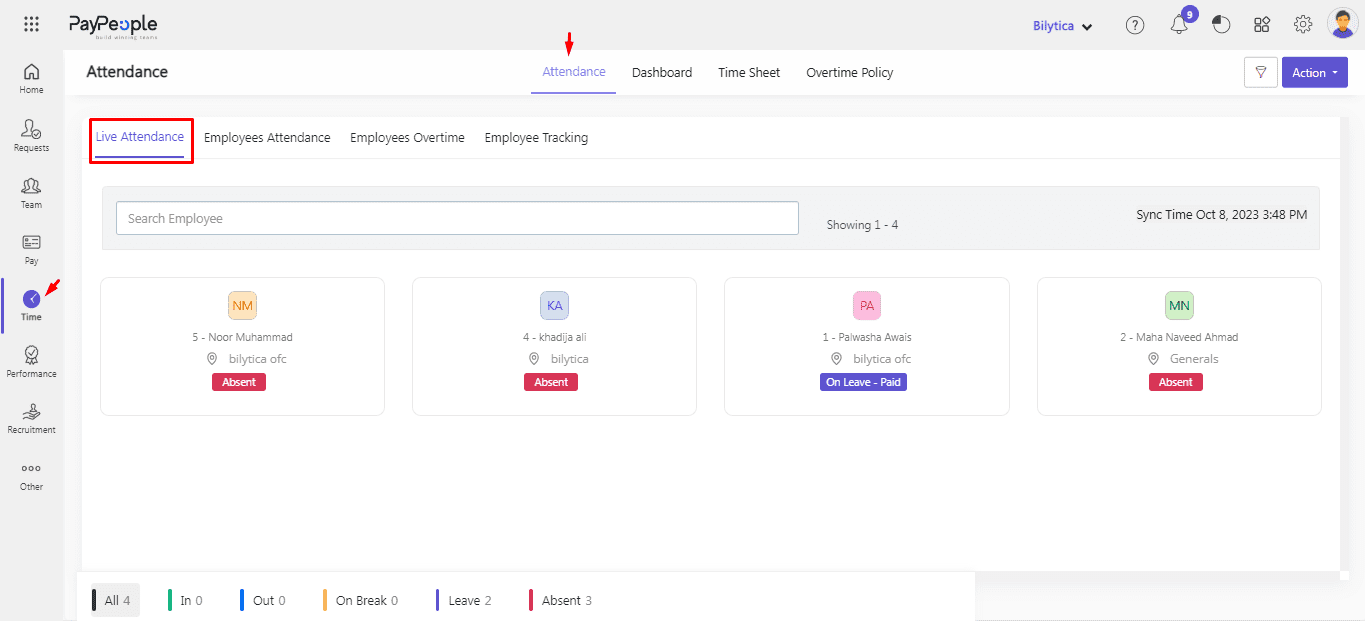
Live Attendance: How to View the Current-Day Live Attendance? (screen 1)

How to Filter Employee Attendance?

You can filter Employee Data according to employee Designation, Department, Location, and employee Type.

  • Click Filter button on top right corner.
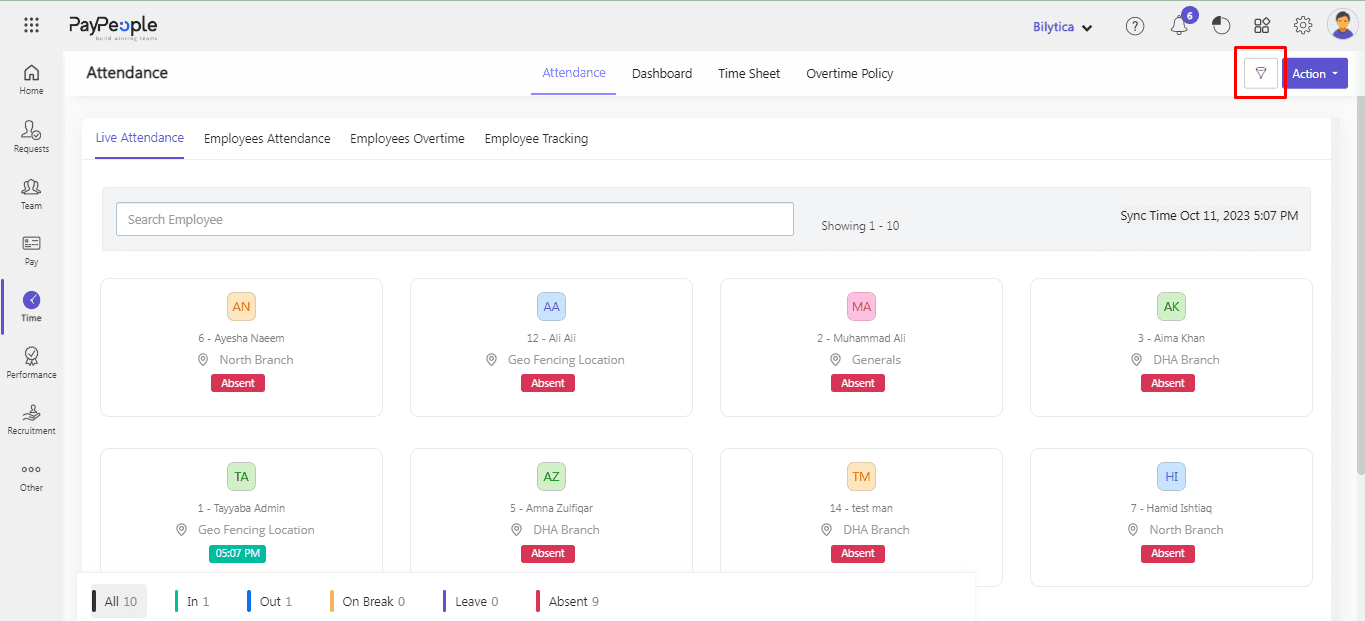
Live Attendance: How to Filter Employee Attendance? (screen 2)

  • After apply filters click Apply button.
  • You can also Reset your filters by clicking Reset button.
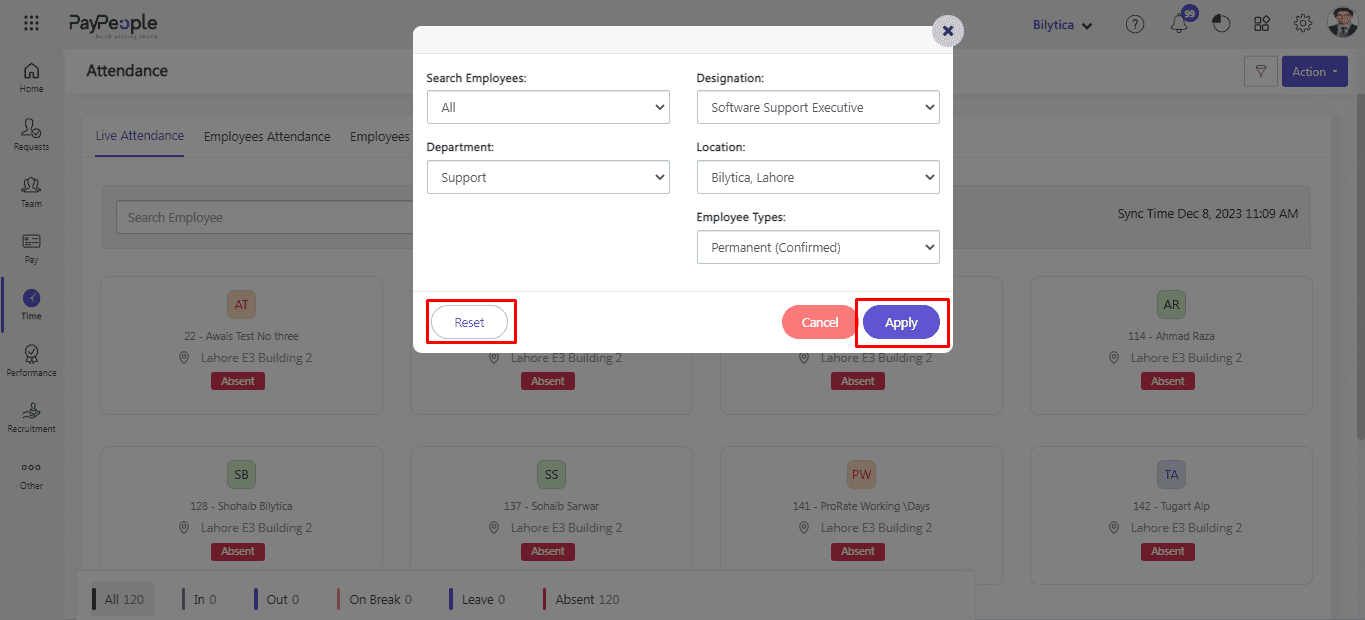
Live Attendance: How to Filter Employee Attendance? (screen 3)

Subscribed Client Operational Run Assistance

Executing this payroll run or configuring your biometric machines? Connect with our dedicated Client Operations Desk on WhatsApp (please have your Organization ID ready).

Client Desk
Was this documentation guide helpful?

Your feedback helps our product and documentation teams continuously improve these instructions.

Based on verified PayPeople system workflow. View original help center article

Enterprise Guidance & Configuration

Need direct assistance implementing this workflow?

Our payroll operations team helps configure multi-branch biometrics, complex FBR tax rules, and custom shift schedules for your team.