

On This Page
Quick Answer
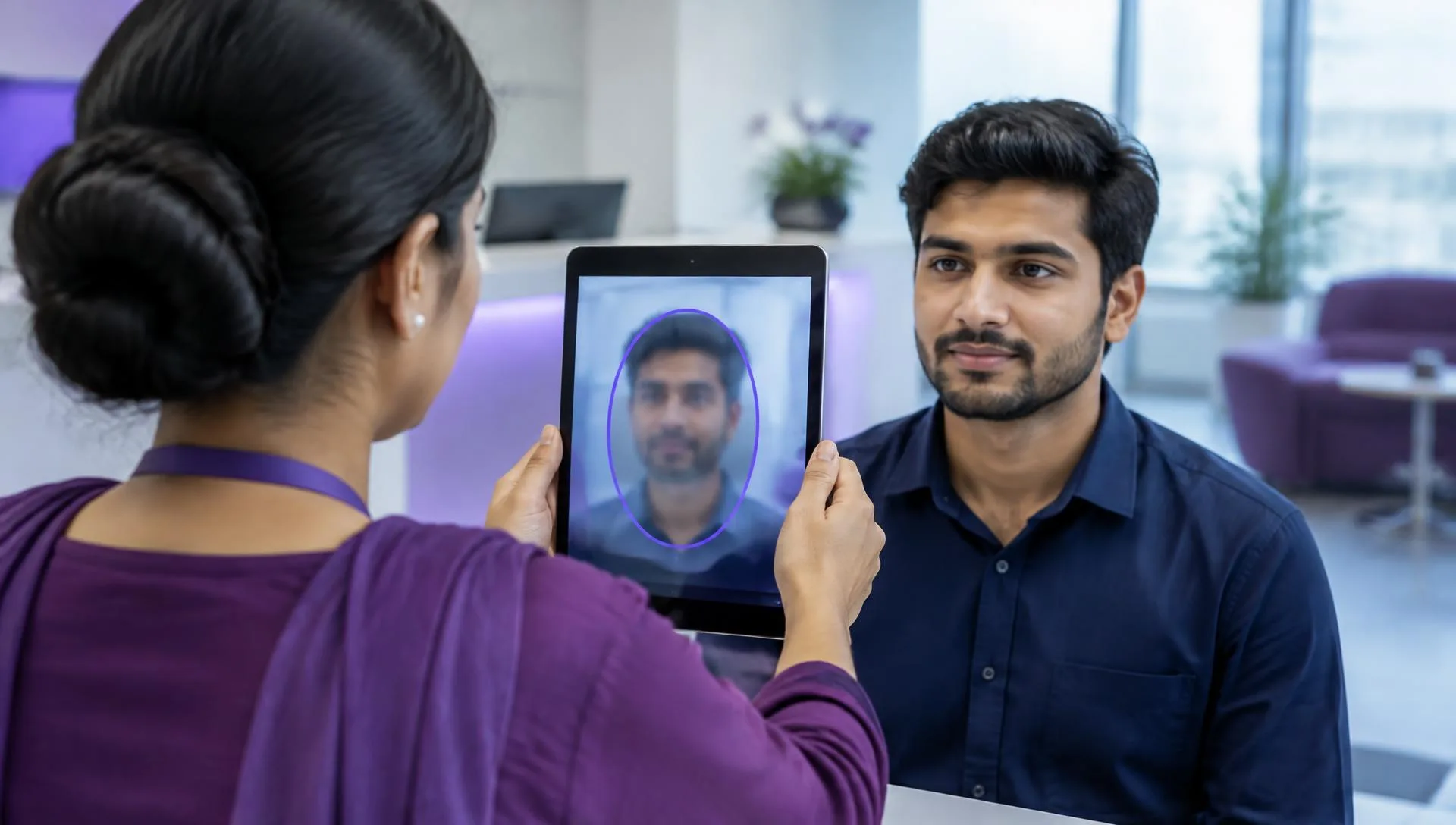
Face attendance enrolment starts with a clear explanation of why the employer is collecting biometric information and how attendance will be used. Confirm the applicable legal basis and workplace requirements before capture. Do not treat a successful device demonstration as approval of the collection process.
Key Takeaways
- Explain the purpose before capture. Explain collection purpose, access and correction routes to employees.
- Map each enrolment to one employee. Check the employee identifier before saving the enrolment.
- Review changes and departures. Assign an owner for enrolment changes at each location.
- Keep approval evidence. Record the accepted result, responsible owner and unresolved questions before changing live records.
Face attendance enrolment: explain the purpose before capture
Face attendance enrolment starts with a clear explanation of why the employer is collecting biometric information and how attendance will be used. Confirm the applicable legal basis and workplace requirements before capture. Do not treat a successful device demonstration as approval of the collection process.
Use the Attendance Software product guide to frame the demonstration. Verify the proposed configuration against the approval evidence described here.
- Explain collection purpose, access and correction routes to employees.
- Ask where biometric information is stored and who can retrieve it.
- Have the responsible adviser review the proposed legal basis.
Map each enrolment to one employee
Each enrolled identity must map to the correct employee record before attendance is accepted. Test the exact proposed device and work setting, including normal arrival conditions. A recognition event with the wrong employee identifier can create a misleading attendance record even when matching appears successful.
Check the employee records behind each decision before changing downstream results.
- Check the employee identifier before saving the enrolment.
- Test representative employees under ordinary workplace lighting.
- Document how failed enrolments receive a reviewed alternative attendance record.
Review changes and departures
Enrolment needs an ongoing owner for changes, departures and correction requests. Agree how access is removed and what information is retained or deleted under the employer’s approved policy and applicable requirements. Ask the supplier to demonstrate the process rather than assuming device removal deletes every copy.
Connect accepted inputs to payroll compliance, with legal interpretation and statutory approval remaining with the responsible employer team.
- Assign an owner for enrolment changes at each location.
- Check device and connected-system records when employees leave.
- Document retention decisions without inventing a universal legal deadline.
Worked example: enrolling a new site's staff
Enrolling a new site goes smoothly when you explain the process first, enrol in small groups, check each enrolment maps to the right employee, and record failed enrolments with an agreed alternative before attendance goes live.
- Brief the staff
Explain purpose, access and correction routes before capture.
- Enrol in groups
Schedule small groups so each enrolment can be checked.
- Check the mapping
Confirm each face record links to the correct employee identifier.
- Handle failures
Record failed enrolments and approve an alternative method.
| Finding | Likely cause | Action |
|---|---|---|
| Face linked to wrong employee | Identifier mistyped | Delete and re-enrol |
| Repeated failed match | Poor lighting at capture | Re-enrol in better light |
| Leaver still enrolled | Exit process missed | Remove at exit |
Add enrolment and removal to joiner and exit checklists. That keeps device records in step with HR records.
Plan a short re-enrolment window after the first payroll month. Staff whose appearance changes, such as after an injury or new glasses, may need a fresh capture, and a planned window avoids repeated manual corrections at cutoff.
Summary
Make the process specific to your employees and approved working rules. Assign an owner for enrolment changes at each location. Keep supplier verification, legal review and payment authorisation distinct so a successful demonstration is not mistaken for final employer acceptance.
Next step: see how this works in PayPeople Attendance Software.
Frequently Asked Questions
What should the team establish first?
Face attendance enrolment starts with a clear explanation of why the employer is collecting biometric information and how attendance will be used. Confirm the applicable legal basis and workplace requirements before capture. Do not treat a successful device demonstration as approval of the collection process. Explain collection purpose, access and correction routes to employees.
What practical check belongs in the initial review?
Face attendance enrolment starts with a clear explanation of why the employer is collecting biometric information and how attendance will be used. Confirm the applicable legal basis and workplace requirements before capture. Do not treat a successful device demonstration as approval of the collection process. Ask where biometric information is stored and who can retrieve it.
How should the records be tested?
Each enrolled identity must map to the correct employee record before attendance is accepted. Test the exact proposed device and work setting, including normal arrival conditions. A recognition event with the wrong employee identifier can create a misleading attendance record even when matching appears successful. Check the employee identifier before saving the enrolment.
Which details need separate verification?
Each enrolled identity must map to the correct employee record before attendance is accepted. Test the exact proposed device and work setting, including normal arrival conditions. A recognition event with the wrong employee identifier can create a misleading attendance record even when matching appears successful. Test representative employees under ordinary workplace lighting.
What is needed before final acceptance?
Enrolment needs an ongoing owner for changes, departures and correction requests. Agree how access is removed and what information is retained or deleted under the employer’s approved policy and applicable requirements. Ask the supplier to demonstrate the process rather than assuming device removal deletes every copy. Assign an owner for enrolment changes at each location.
What should happen after a change?
Enrolment needs an ongoing owner for changes, departures and correction requests. Agree how access is removed and what information is retained or deleted under the employer’s approved policy and applicable requirements. Ask the supplier to demonstrate the process rather than assuming device removal deletes every copy. Check device and connected-system records when employees leave.
Does software establish legal compliance by itself?
No. Software output does not establish that an employer has selected the correct legal rules or applied them to the right employees. Confirm establishment coverage, effective dates and relevant requirements with the responsible adviser. Keep that approval separate from evidence that the configured workflow produced the expected result.
How should a supplier demonstration be evaluated?
Bring representative cases and ask the supplier to explain each input, result and unresolved limitation. Record what was demonstrated rather than relying on a general assurance. Assign owners to outstanding questions and obtain the relevant approval before using the proposed process for live employee records or payroll decisions.
Sources
- Pakistan Code: verify applicable legislation and amendments (opens in a new tab)
- Punjab Laws: verify establishment coverage and current requirements (opens in a new tab)
Feature details are checked against PayPeople’s product pages and help guides. Laws and settings change; confirm current rules with the official source.