

On This Page
Quick Answer
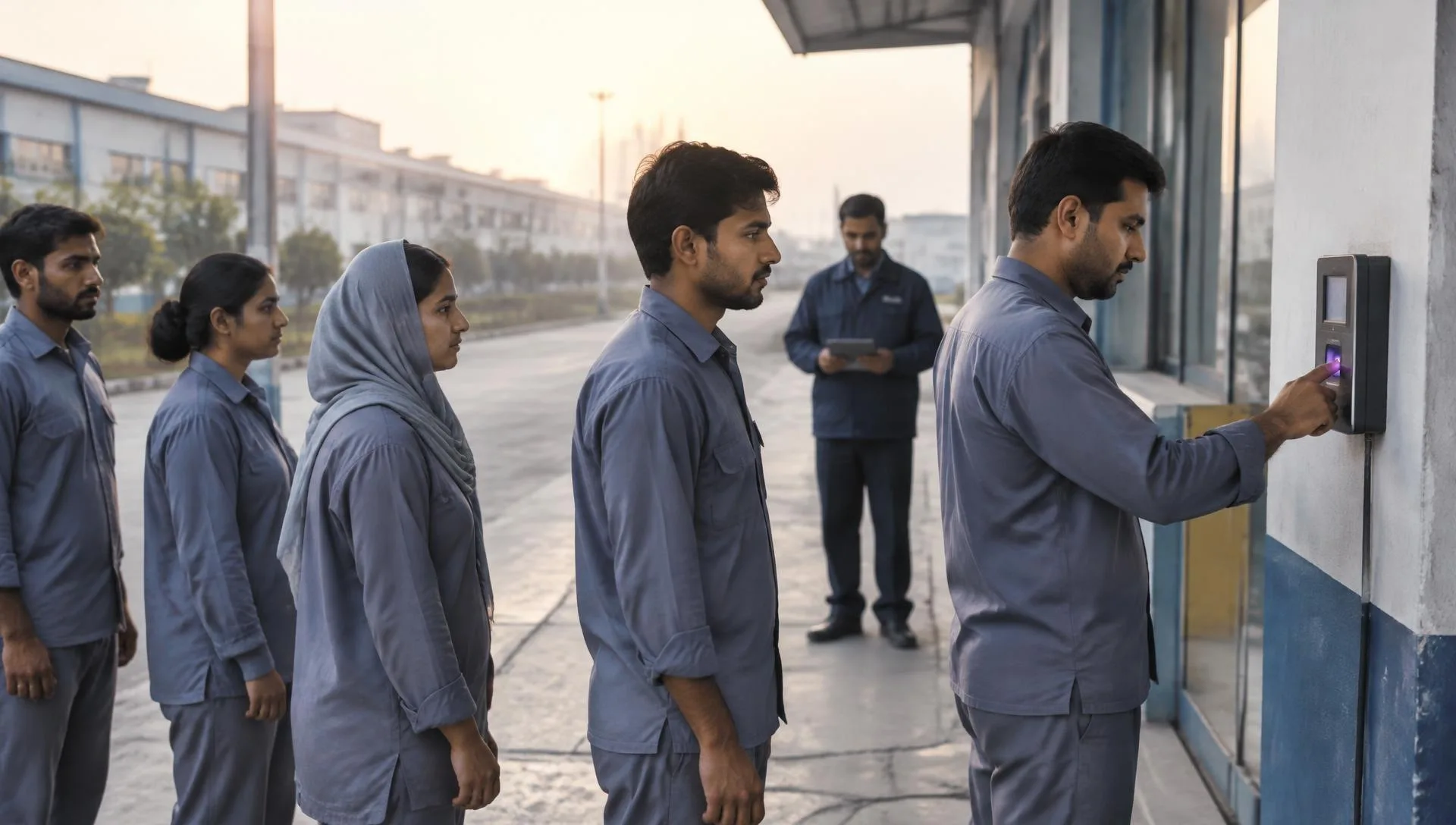
A biometric attendance system uses a physical characteristic, such as a fingerprint or facial pattern, to associate a clocking event with a person. It still needs correct employee mapping, schedules and exception review. Pakistan employers should evaluate device compatibility, employee data handling and attendance evidence before connecting accepted records to payroll.
Key Takeaways
- Separate identification from attendance decisions. Confirm exact device model and integration scope in writing.
- Evaluate privacy and practical alternatives. Request a documented data flow and retention responsibilities.
- Test evidence before payroll handoff. Check timestamps, device location and employee mapping.
- Verify before rollout. Record the observed result, unresolved limitations and responsible approver.
Biometric attendance system: separate identification from attendance decisions
A successful identity match records an event; it does not by itself establish working hours, overtime entitlement or permission to deduct pay. Define which events are required for each schedule and how exceptions are reviewed. Check the proposed device and integration with the supplier before committing to a purchase.
Review the Attendance Software product page, then ask the supplier to demonstrate the specific workflow described here.
- Confirm exact device model and integration scope in writing.
- Test employee identifiers before importing event records.
- Keep payroll decisions subject to approved working rules.
Evaluate privacy and practical alternatives
Ask which biometric records are collected, where they are stored and who can access them. Distinguish device-held templates from attendance events transferred into the HR process. Explain the arrangement to employees and agree an authorised alternative when the chosen method cannot be used, with qualified advice on applicable obligations.
Maintain consistent identifiers in employee records before reconciling employee-level outcomes.
- Request a documented data flow and retention responsibilities.
- Restrict enrolment and administrative access to authorised staff.
- Test the process for an employee whose identification attempt fails.
Test evidence before payroll handoff
Run a controlled pilot covering normal shifts, overnight work, repeated events and missing clockings. Compare raw events with the attendance outcome and review each difference. Accept the device connection only after responsible owners agree the evidence, correction route and limitations; a working reader alone is not a complete payroll control.
Review payroll compliance separately from workflow testing; legal interpretation remains the employer’s responsibility.
- Check timestamps, device location and employee mapping.
- Keep approved corrections separate from the original event evidence.
- Agree who resolves exceptions before the payroll cutoff.
Worked example: piloting biometric attendance at one site
A pilot at one site shows whether a biometric attendance system suits your workforce before wider rollout. Explain collection to staff, enrol a pilot group, compare device records with supervisor rosters for two weeks, and decide using written results.
- Explain the purpose
Tell employees what data is collected, why, who can access it and how to correct a record.
- Enrol a pilot group
Choose staff across shifts and roles, including people who work outdoors or with gloves.
- Compare for two weeks
Match device records with supervisor rosters and list every missing or extra entry.
- Decide in writing
Record the error rate, staff feedback and the decision before buying more devices.
| Finding | Likely cause | Action |
|---|---|---|
| Repeated failed scans | Poor enrolment or worn fingerprints | Re-enrol or approve an alternative method |
| Records missing for a shift | Device disconnected or not synced | Check connectivity and sync schedule |
| Queue at shift start | Too few devices | Add a device or stagger entry times |
Offer a documented alternative for employees who cannot use the device reliably. A pilot that includes these cases gives a more honest picture than a demonstration with office staff only.
Summary
Start with approved rules, representative employee cases and a clear review owner. Check timestamps, device location and employee mapping. Confirm supplier scope separately from employer acceptance, and resolve exceptions before changing live employee records or releasing payroll instructions.
Next step: see how this works in PayPeople Attendance Software.
Frequently Asked Questions
What should employers define before using biometric attendance system?
A successful identity match records an event; it does not by itself establish working hours, overtime entitlement or permission to deduct pay. Define which events are required for each schedule and how exceptions are reviewed. Check the proposed device and integration with the supplier before committing to a purchase.
What should the initial review include?
A successful identity match records an event; it does not by itself establish working hours, overtime entitlement or permission to deduct pay. Define which events are required for each schedule and how exceptions are reviewed. Check the proposed device and integration with the supplier before committing to a purchase.
How should representative cases be tested?
Ask which biometric records are collected, where they are stored and who can access them. Distinguish device-held templates from attendance events transferred into the HR process. Explain the arrangement to employees and agree an authorised alternative when the chosen method cannot be used, with qualified advice on applicable obligations.
Which records need a separate check?
Ask which biometric records are collected, where they are stored and who can access them. Distinguish device-held templates from attendance events transferred into the HR process. Explain the arrangement to employees and agree an authorised alternative when the chosen method cannot be used, with qualified advice on applicable obligations.
What evidence belongs in the final review?
Run a controlled pilot covering normal shifts, overnight work, repeated events and missing clockings. Compare raw events with the attendance outcome and review each difference. Accept the device connection only after responsible owners agree the evidence, correction route and limitations; a working reader alone is not a complete payroll control.
When should the process be reviewed again?
Run a controlled pilot covering normal shifts, overnight work, repeated events and missing clockings. Compare raw events with the attendance outcome and review each difference. Accept the device connection only after responsible owners agree the evidence, correction route and limitations; a working reader alone is not a complete payroll control.
Does this workflow establish legal compliance?
No. A successful workflow test shows only that the tested inputs produced the observed result. It does not establish that the employer selected the correct legal rules. Confirm relevant establishment coverage, provincial requirements and effective dates with the responsible adviser before relying on a configuration for employment or payroll decisions.
What should employers ask PayPeople to demonstrate?
Bring representative cases from your approved process and ask which steps the documented product supports. Record the inputs, observed results, access arrangements and unresolved limitations. Treat any unverified integration or channel as a question for the supplier, not a promised feature, and obtain employer approval before using employee data in live processing.
Sources
- Pakistan Code: verify applicable legislation and amendments (opens in a new tab)
- Punjab Laws: check relevant provincial employment legislation (opens in a new tab)
Feature details are checked against PayPeople’s product pages and help guides. Laws and settings change; confirm current rules with the official source.