

Bridging payroll generation pipelines with onsite biometric tracking hardware and global corporate accounting ecosystems eliminates manual ledger entry bottlenecks. The PayPeople infrastructure features a robust, extensible Integrations workspace designed to orchestrate direct synchronization across external systems via secure Application Programming Interfaces (APIs), ensuring real-time organizational alignment.
1. Navigating to the Ecosystem Integration Hub
To explore the library of pre-built app connections or configure API-driven operational pipelines:
- Step 1: Launch System Settings — Go to your main corporate administrator platform dashboard view and click on the primary Setup gear icon located in the upper-right control toolbar.
- Step 2: Enter the Integrations Workspace — Locate the horizontal navigation categories banner near the top of the layout. Click directly on the horizontal Integrations tab (marked with a red rectangular frame box) to open the application directory.
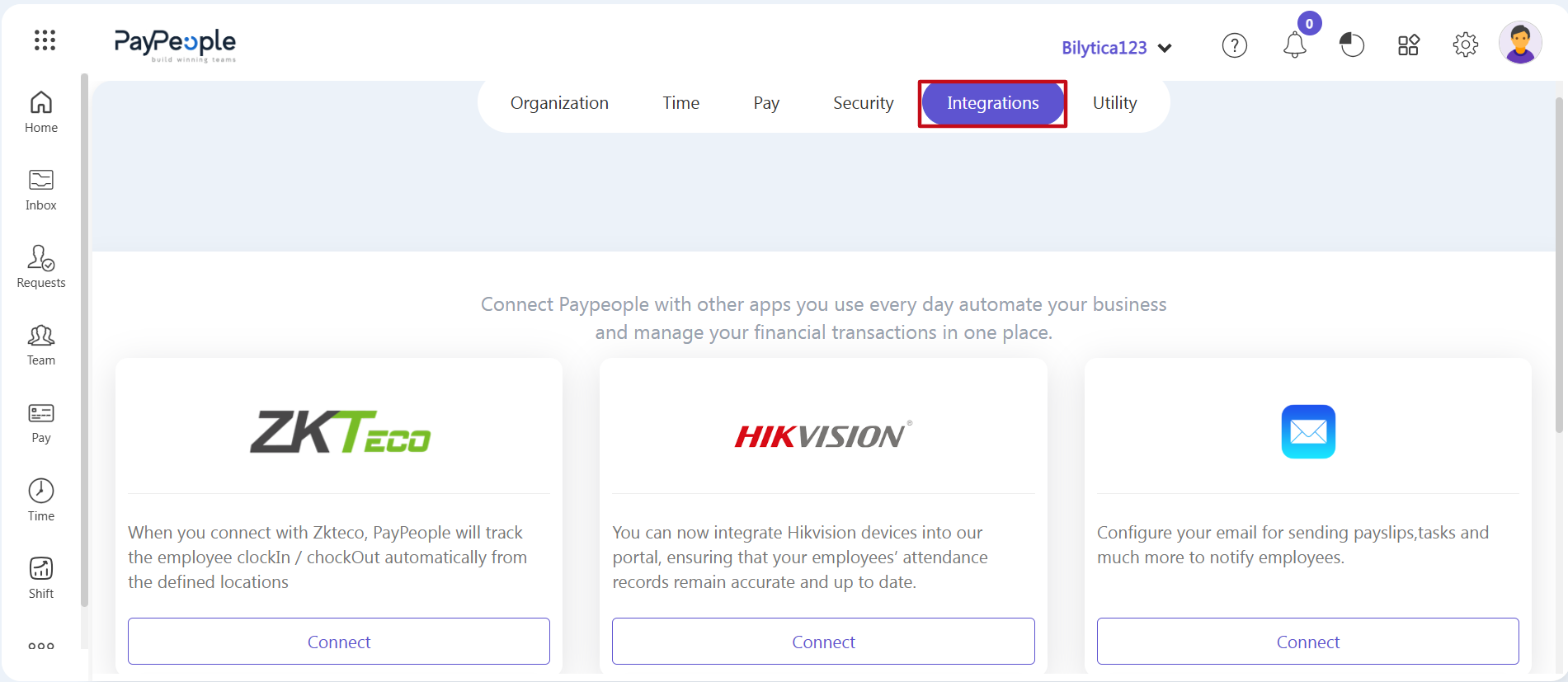
2. Connecting Hardware and External Software
The integrations page displays your available automation options. Configure your data connections based on your company's setup:
- Biometric Attendance Hardware — Link physical time-tracking machines directly to the platform:
- ZKTeco: Click Connect on the ZKTeco card. The system will automatically sync employee clock-in and clock-out stamps from your devices, removing the need for manual spreadsheet uploads.
- Hikvision: Click Connect on the Hikvision card to pull log times directly into the payroll database for real-time attendance tracking.
- Third-Party Enterprise Software — Securely connect external accounting tools, financial ledgers, or ERP systems via API. This ensures your financial records and ledger adjustments update instantly across both platforms.
- Automated Notification Systems — Click Connect on the Email communications panel. Set up your corporate email server settings to automatically email digital payslips, task updates, and notifications directly to your employees.
Hardware API Synchronization Pro-Tip: |