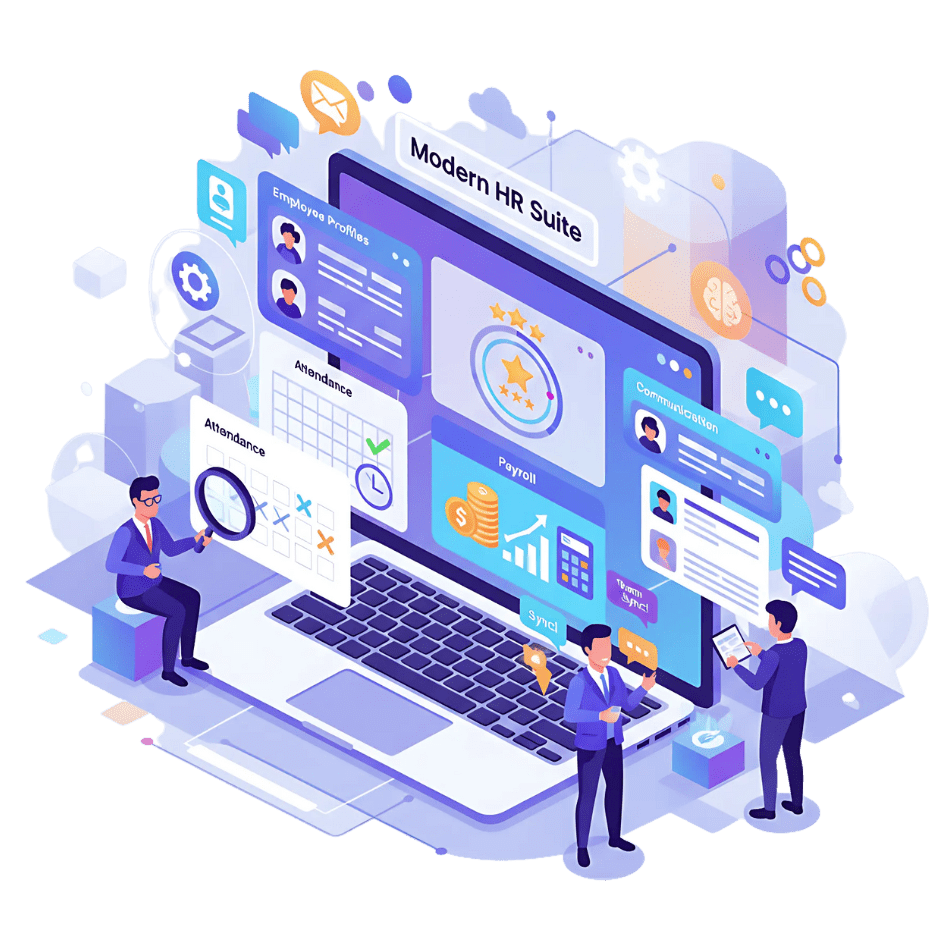


PayPeople's Employee Profile Software gives every person in your organisation a complete, live record — job history, documents, salary changes, attendance, performance, and assets all in one place. When any detail changes, it updates instantly across every connected module. No duplicate records, no manual syncing, no version mismatches between systems.

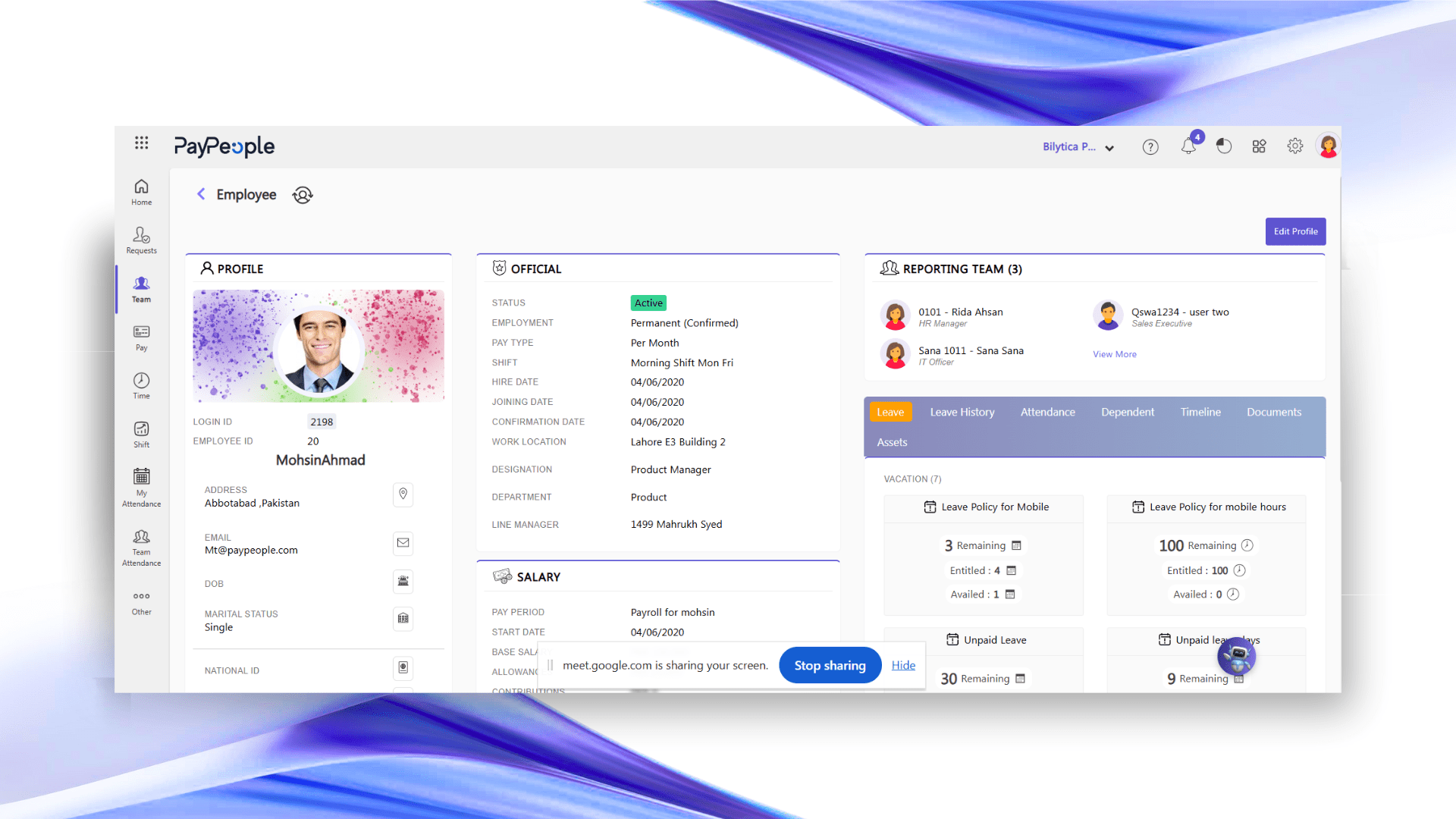
Through PayPeople’s self-service portal, employees update their own contact details, bank account information, and personal data directly — with HR approval required before any change takes effect. Employees also view their payslips, apply for leave, and track pending requests from the same profile. HR workload from routine information requests drops significantly when employees can access their own records.
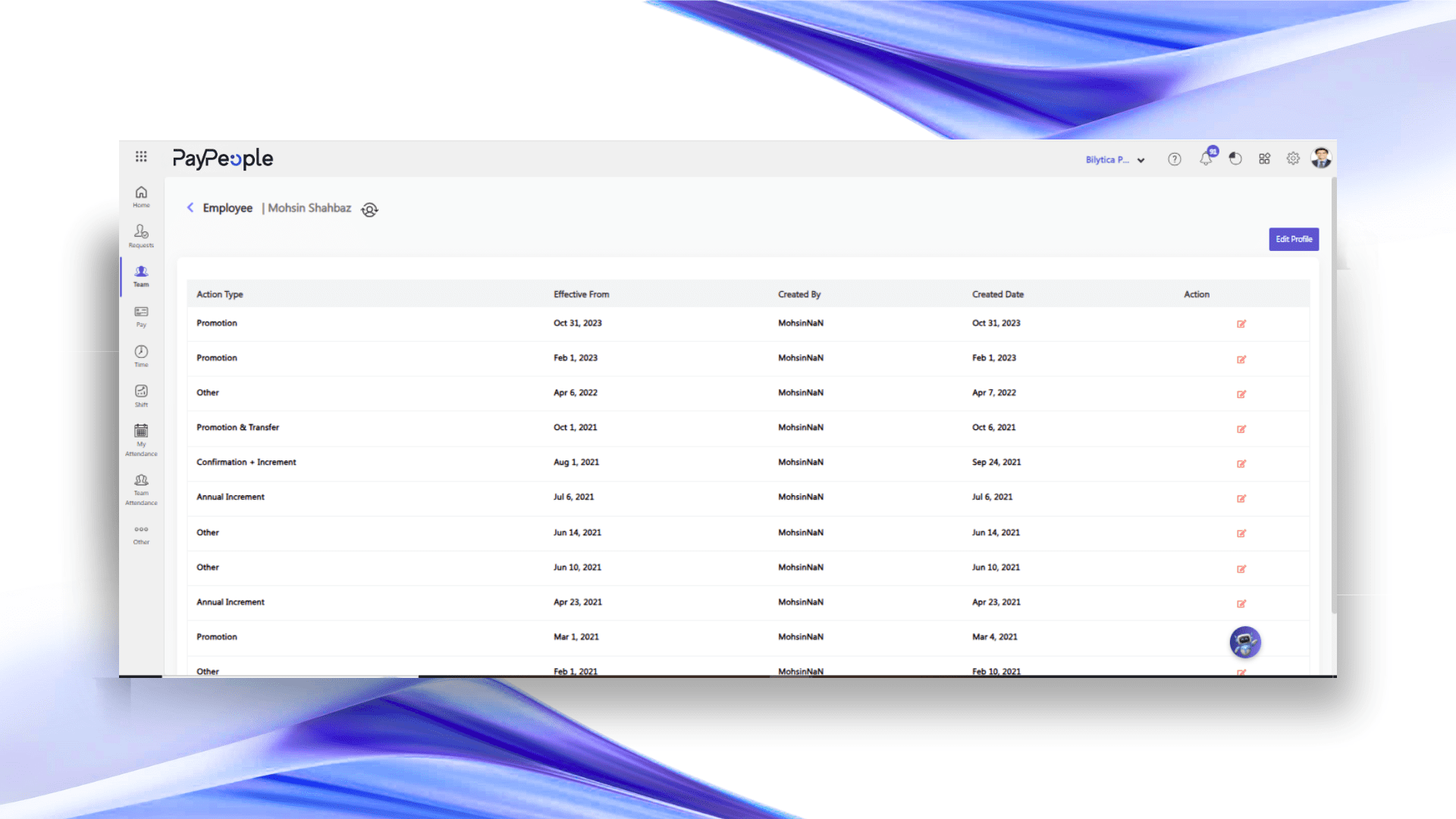
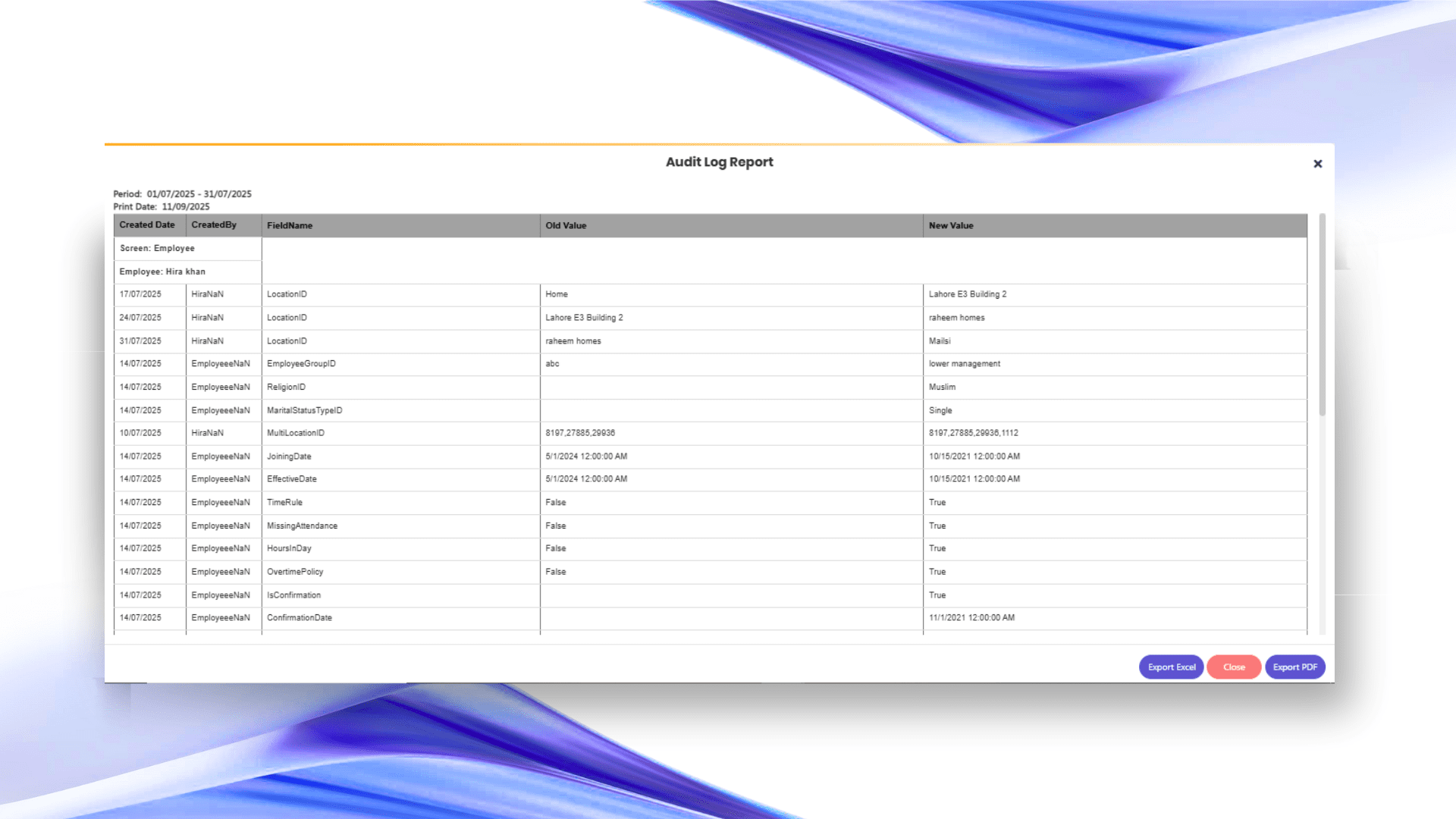
Every update to an employee’s record — a promotion, a department transfer, a salary revision, a manager change — is logged automatically with a date and reason. HR does not need to reconstruct an employee’s history from old emails or paper files. The complete audit trail is available on the profile, in chronological order, from day one to present.
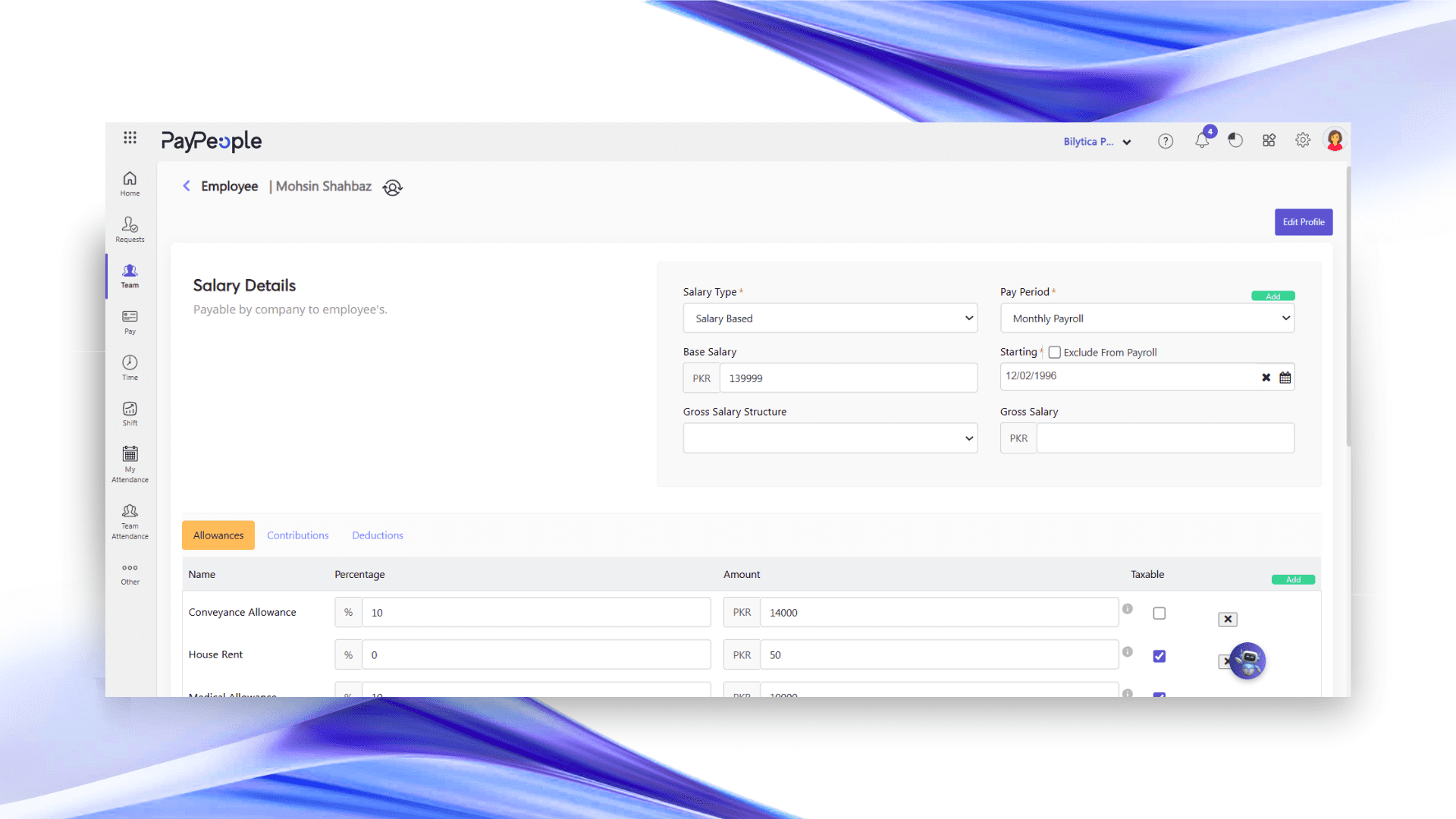
Every worker’s profile — personal details, job title, department, reporting manager, salary grade, attendance history, and performance records — lives in one secure location. HR, managers, and finance all read from the same data. There is no separate employee list in payroll, a different one in attendance, and another in the appraisal system. One record. One truth. Updated in real time.
PayPeople records every profile update the moment it happens — role changes, salary adjustments, transfers, promotions. HR does not need to manually log what changed or who approved it. When an auditor, a line manager, or leadership asks for an employee’s history, the record is already complete. No reconstruction, no missing entries, no gaps between what happened and what was documented.
Every employee profile carries their reporting manager, department, and position in the organisational hierarchy. When someone changes roles or a manager leaves, the reporting structure updates from the profile — and that change flows immediately into leave approval routing, performance review assignments, and payroll cost centre allocation. The org chart reflects the business as it is today, not how it was six months ago.
When a candidate is hired through PayPeople’s Recruitment module, their employee profile is created automatically — name, role, department, reporting manager, and start date carry across without re-entry. Onboarding tasks, document requests, and system access checklists route immediately from the profile to HR, IT, and the line manager. The new hire’s record is complete from day one, not pieced together over the first week. Full onboarding detail on the Employee Onboarding page.
Laptops, SIM cards, access cards, vehicles, and any other asset assigned to an employee is recorded directly on their profile. When an employee changes roles or exits, HR sees exactly what needs to be recovered — no separate asset register to cross-check, no missing equipment discovered after the exit interview. Offboarding clearance is part of the same profile workflow.
Accurate employee records improve every HR function downstream — payroll, attendance, performance, and compliance all depend on the same data being correct.
Only HR software in Pakistan to hold both awards · 2,000+ companies · Employee data secure and compliant
PayPeople won the Technology category at the HBL P@SHA ICT Awards 2024 — the highest honor in Pakistan’s IT industry.

PayPeople by Bilytica is proud to have received the “President IT Award 2021”, the country’s most prestigious accolade in the IT sector.

Employee profile software is a system that stores every person's employment record in one place — personal details, job history, salary grade, reporting structure, documents, attendance, and performance data. It replaces scattered spreadsheets and paper files with a single live record that updates automatically when anything changes and feeds accurate data into payroll, attendance, and performance modules without re-entry.
A basic HR database stores static information. PayPeople's employee profiles are live records — every change to a role, salary, department, or manager is logged automatically with a date and reason, creating a full audit trail. The profile also connects directly to payroll, attendance, leave, and performance so all modules read from the same data without manual synchronisation between systems.
Yes. Through PayPeople's self-service portal, employees update their own contact details, personal information, and bank account data directly. HR approval is required before any change takes effect, maintaining accuracy and control. Employees also access their payslips, leave balances, and documents from the same portal without routing every request through HR.
Yes. PayPeople's payroll module reads salary grade, bank account, department, and cost centre directly from the employee profile. Attendance records, leave history, and shift assignments also attach to the same profile. When any detail changes in the profile — a department transfer, a salary revision — it reflects in payroll and attendance calculations on the next run without separate updates.
Every update to an employee's profile — role change, salary revision, manager change, department transfer, promotion — is logged automatically with the date and the approver. This audit trail is visible in full on the profile without any manual documentation required from HR. The record is always ready for internal audits or compliance reviews without reconstruction from emails or paper files.
When an employee exits, their profile moves to inactive status but remains in the system for compliance and record-keeping purposes. Offboarding tasks — asset recovery, document clearance, access revocation, final settlement — are tracked against the profile through the task workflow module, with owners and due dates assigned automatically. Nothing falls through because the exit checklist runs from the same record.
More than 2,000 Pakistani companies manage their workforce on PayPeople. Book a free demo and see employee profiles in action.
