Reports

Employee Leave Reports

4 min read Official Workflow Click any image to enlarge

 Employee Leave Summary

The Employee Leave Summary report provides a comprehensive overview of an employee’s leave history. This report summarizes the employee’s leave balances and the types of leave taken.

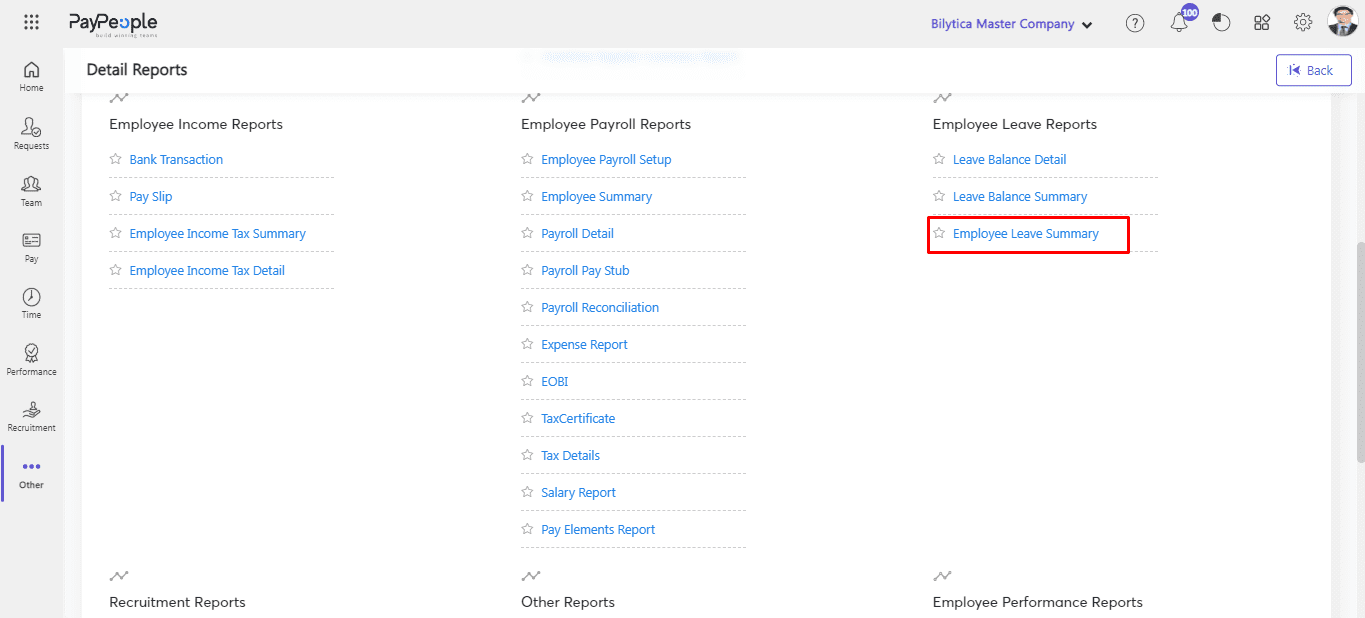
  • Click on Employee Leave Summary.

Employee Leave Reports: Employee Leave Summary (screen 1)

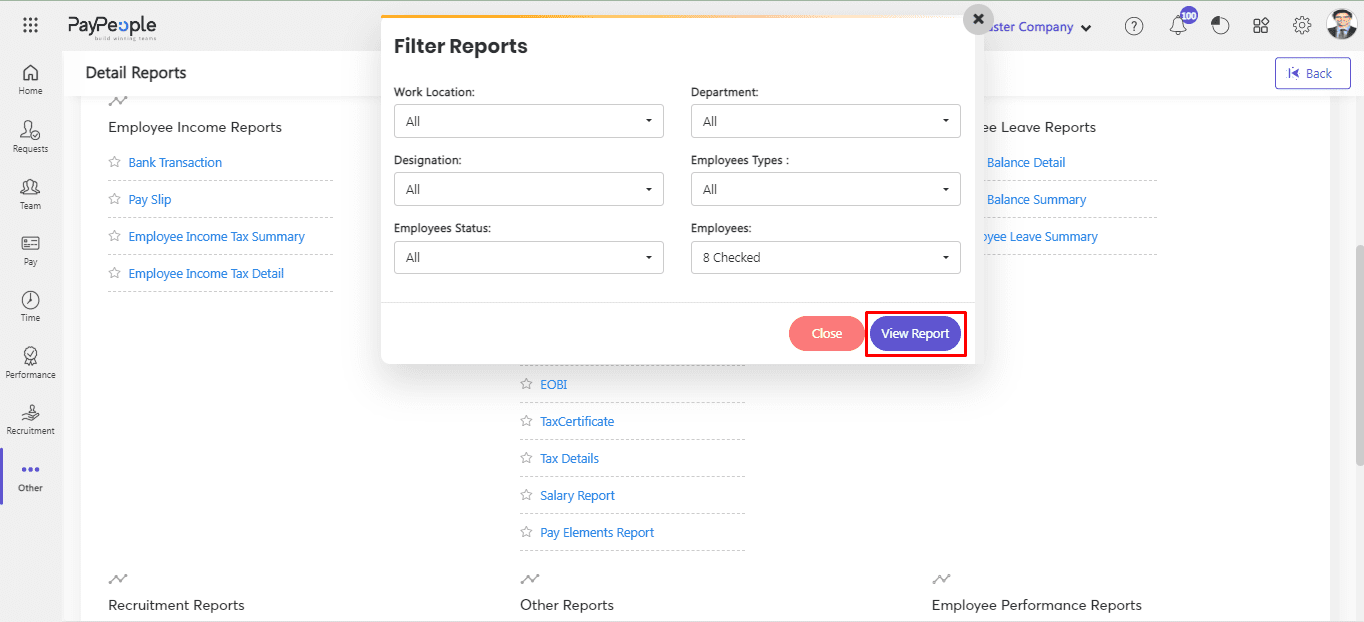
  • Apply all the filters according to Your Required Data.
  • Click on View Report.

Employee Leave Reports: Employee Leave Summary (screen 2)

  • You can also Export your Report in Excel and PDF Format.
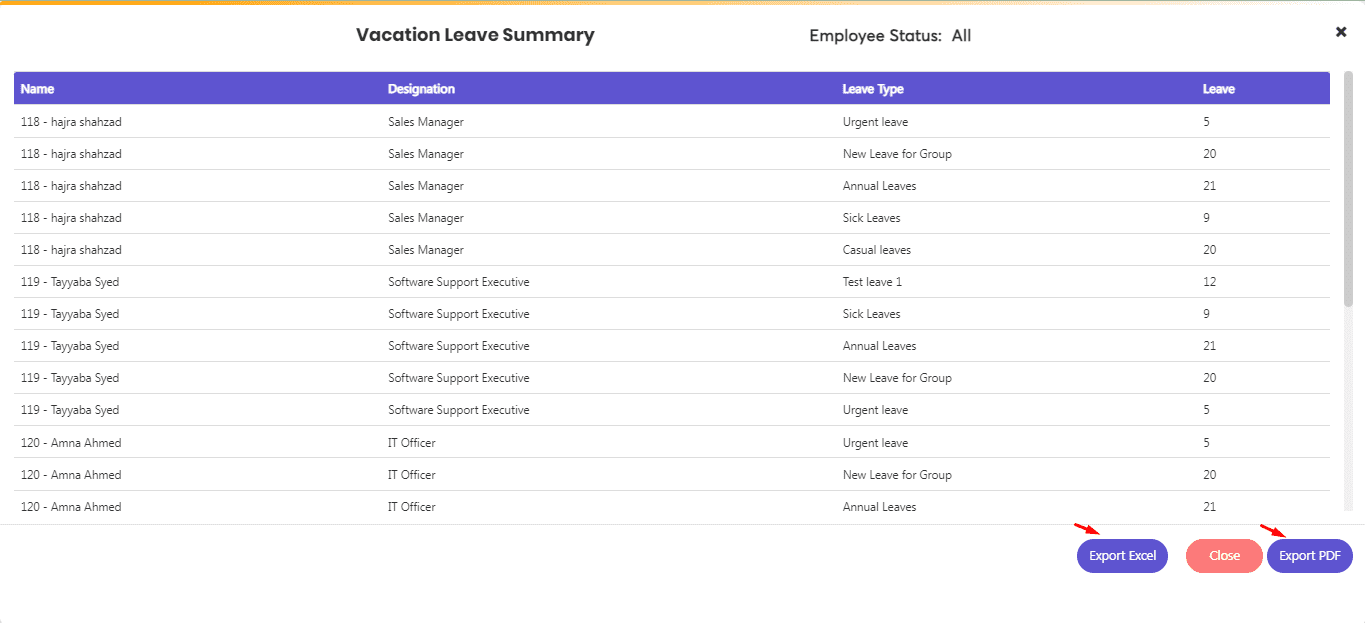
Employee Leave Reports: Employee Leave Summary (screen 3)

Enterprise Guidance & Configuration

Need direct assistance implementing this workflow?

Our payroll operations team helps configure multi-branch biometrics, complex FBR tax rules, and custom shift schedules for your team.